An exclusive gaming industry community targeted
to, and designed for Professionals, Businesses
and Students in the sectors and industries
of Gaming, New Media and the Web, all closely
related with it's Business and Industry.
A Rich content driven service including articles,
contributed discussion, news, reviews, networking, downloads,
and debate.
We strive to cater for cultural influencers,
technology decision makers, early adopters and business leaders in the gaming industry.
A medium to share your or contribute your ideas,
experiences, questions and point of view or network
with other colleagues here at iVirtua Community.
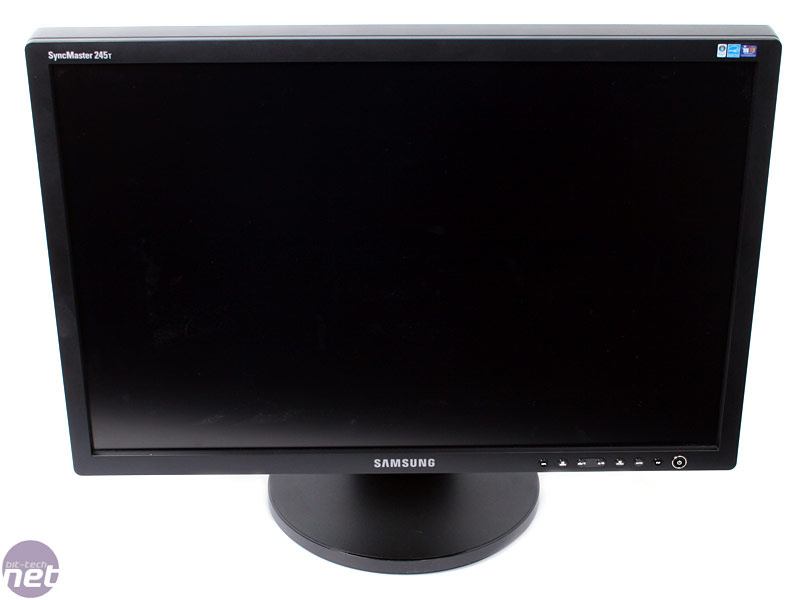
There's an awful lot of panel sharing going on in the LCD market thesedays, isn't there? It seems that even some of the most no-name brandsare now sporting panels made by a few giant, well-known manufacturers.It's enough to make a consumer wonder whether paying extra for apremium branded monitor is really worth it.
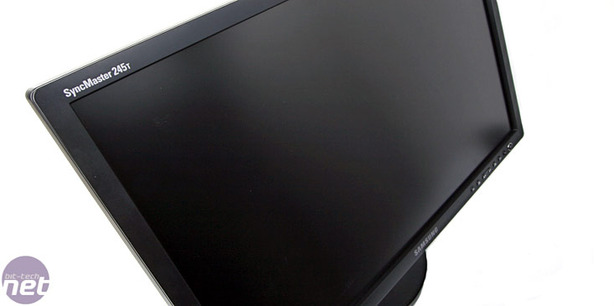
With that in mind, what is there to think about Samsung's newlyincumbent 24-inch model, the 245T? One thing is for sure, if you want amonitor with a quality Samsung-manufactured PVA panel, you don't needto pay over £600 for a monitor with that Samsung badge on the front.There are plenty of other screens with Samsung PVA panels inside, andsome can be had for less than £350.
Hence, the key question is not whether the new 245T is a good monitor.Instead, the question is this: Can the 245T really be worth nearlytwice as much as the lesser branded but similarly specified opposition?
That's what we're here to find out...and we just happen to have a muchmore affordable 24-inch widescreen on hand, one powered by a SamsungPVA LCD panel. That'll be the Hyundai W241D-PVA.
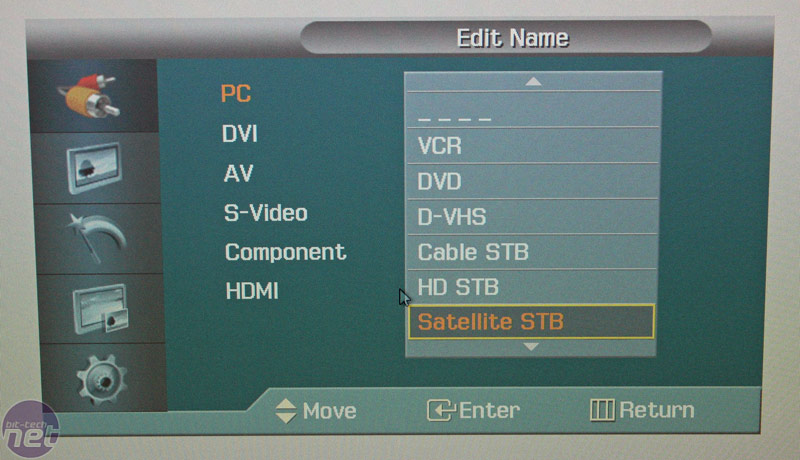
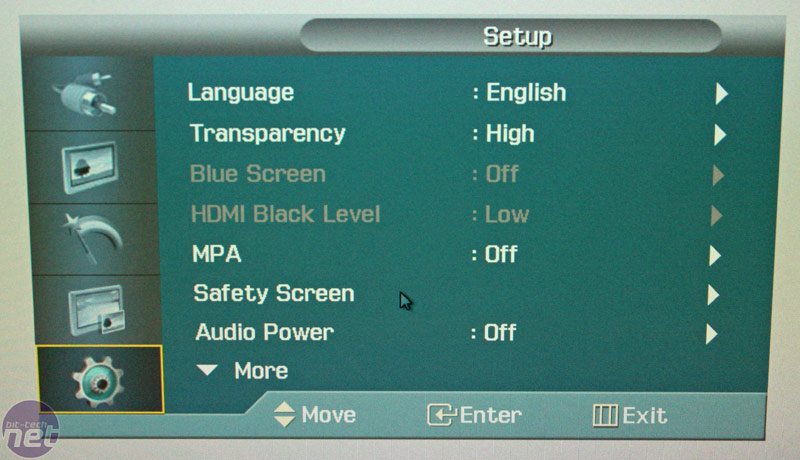
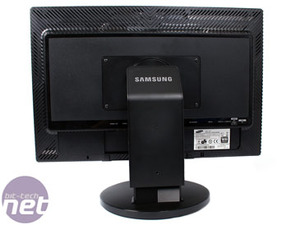
Features and Build QualityThe 245T is hardly the last word inswishy, swanky styling. The aforementioned Hyundai (with its glossyblack and white plastics) roasts it for pure desktop presence, forinstance. But thanks to the high quality of its construction, itnevertheless has a certain understated class. The bezel is a slim 15mmall the way around which emphasises the display, although the entiremain panel is quite a weighty 80mm thick. Front to back, you'll need atleast 25cm of desk space to accommodate the large, sturdy base.
Click to enlarge
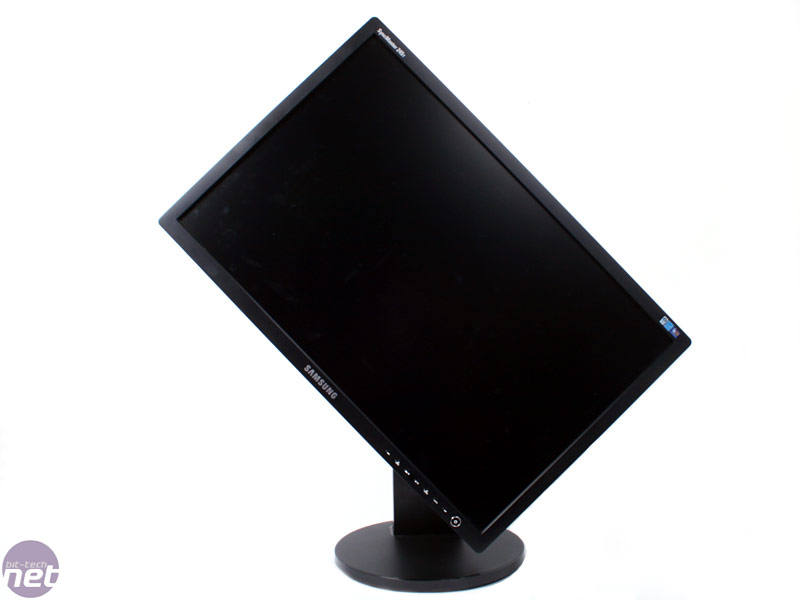
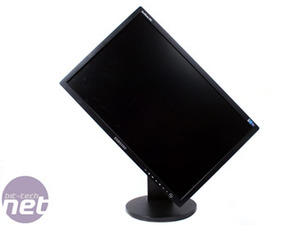
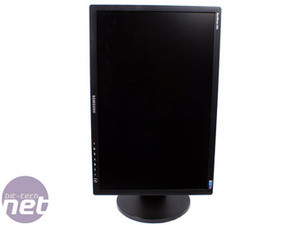
The no-nonsense OSD controls are an extremely welcome and user-friendlyfeature, as is the stand's comprehensive adjustability. Not only areswivel, tilt, rotate and height tweakage on the menu, but they are all incredibly smoothto operate yet easily hold any position set without the need for clipsor locks. Given the panels size and weight, it's not light enough tomove without some effort - but it certainly doesn't require brute forceeither.
Click to enlarge
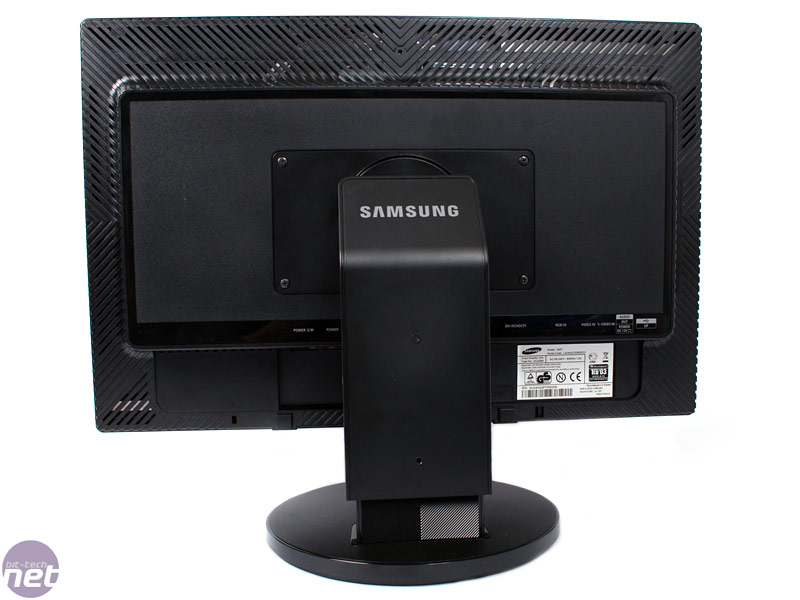
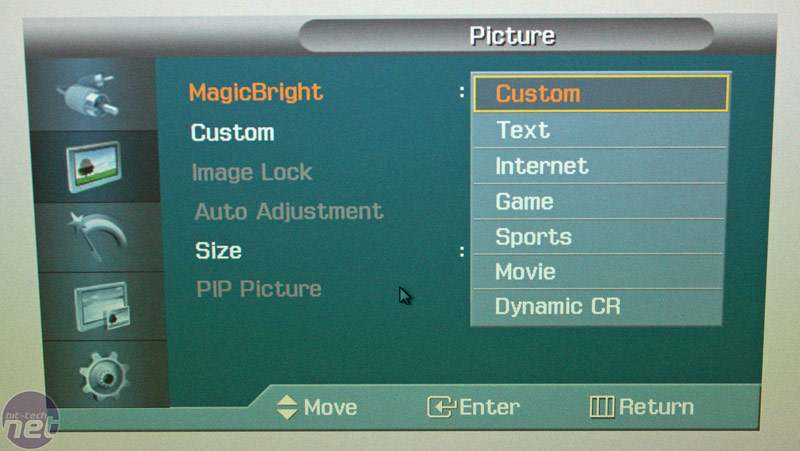
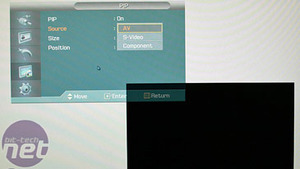
In terms of inputs, most of the usual suspects make an appearance.Digital connectivity takes the form of a single DVI port and an HDMIsocket, both with HDCP support. However, there is no DisplayPortavailable. On the analogue side, it has the lot - VGA, S-Video,component and composite. In short, there's very little that you can'thook up to the 245T. It even sports picture-in-picture mode for smoothmulti-input juggling; however, that feature is limited to onlycomponent (AV), S-Video and composite, not the digital inputs or VGA.
A final disappointment is the presence of inverse ghosting. As we havementioned previously, inverse ghosting is a problem that's thought tobe a result of pixel-response-enhancing overdrive technology. In simpleterms, it involves a trail or shadow that appears in the wake of movingobjects in some situations, typically in more or less the oppositecolour to the moving object.
Most of the time, it's a minor issue with the 245T. But with certaincolour combinations, it results in some pretty horrific renderingartifacts. For instance the text on this page exhibits some particularly horrible black trails and smearing when jostling the window around.
It's absolutely not what you expect from a premium brandlike Samsung. What's more, if you had just invested over £600 on thismonitor, well, you'd have every right to feel extremely let down.
Click to enlarge
Final ThoughtsThere's a lot to like about the 245T includingits static image quality, viewing angles and contrast performance. Butat this price point, something close to perfection is to be excepted.At £600+ any major flaws are simply unacceptable and the fact that the245T actually has two – moderate input lag and occasionally seriousinverse ghosting – might seem pretty shocking.
However, these problems are related to the PVA panel technology thatdominates the high end 24-inch monitor scene at the moment. Moreprecisely, they appear when pixel overdrive techniques are used tospeed up the extremely slow response. In other words, they are hard toavoid on PVA monitors.
So, what we would really like to see is more choice in this part of themarket. Without question, IPS panel technology has some weaknessescompared with PVA as contrast performance and the depth of renderedblacks are typically a little off the pace. But PVA technology hasenough drawbacks that mean the extended choice would be very welcome.
In any case, the key points to note about the 245T go something likethis. Yes, it is that little bit more vibrant and accurate than cheaperPVA monitors from lesser brands; the colours boast better fidelity, theblacks are deeper and the whites a touch cleaner. But even Samsung hasnot been able to eradicate the overdrive related glitches that commonlyspoil 24-inch PVA monitors.
With all that in mind, it's pretty hard to recommend the 245T. If youcan live with the minor image quality issues, then you are better offwith a significantly lower priced but only slightly inferior model froma lesser brand. Even a TN+Film 24-incher with slightly sludgy coloursand washed out blacks makes more sense – it's certainly a much cheaper option and will do a much better job for games.
Until a monitor maker manages to solve the input lag and inverseghosting issues with PVA screens or plops in a quality 24-inch IPS TFTalternative, the perfect 24-inch panel will remain infuriatingly out ofreach.
this is stupid, a lot of what that guy said is not true. for example, win98 is NOT eyecandy, and w/e it does have that would be considered that can be turned off. win95 is not good for everyday tasks. is it suitable to do so? sometimes, but a newer os would be much better, even if its 98. and how is the whole "3d" look annoying? not only would be insignificantly take up disk space and ram, but it helps you actually see whats the boarder of something. and, from what i remember, win98 was under 700mb. big whoop, 200+mb for a LOT more features, stability, and functionality. if you're that cheap, go with linux and use a live cd every time you start up your computer - at least that way you take up no space at all.
as for his complaint about programs such as firefox working on a newer os, maybe he just needs to get into the new ages and just buy a new computer. it would not surprise me that hes using a newer os on something that isn't even 1ghz. this guy needs to learn to think - FIREFOX IS DESIGNED FOR MODERN COMPUTERS. obviously it'll run slow if you run it on something that wasn't designed for something THAT new.
with his whole comment on security and stability, one of the greatest complaints about the first win95 that came out was it was very INSECURE, which results in instability. win98 was considered so great because it was so much more stable and well designed. win95 was the first os of its kind for MS, you HAVE to expect problems with it. if this guy were to do as much tweaking and fixing with win98 or any other os as he did with 95, he'd get the exact amount of stability and security as he would with 95 but probably with less work, making his comments void.
i can understand his whole native feeling argument, but 1 thing that just plain makes no sense is why can't he just make the emulator fullscreen? that way, its like he really IS running DOS. Again, his point is void.
i couldn't tell if he was kidding or not in the next paragraph. even in the NT based OSes, if you're running IE and type "c:\", a file browser in explorer will run and replace IE. works the same way if you type in a website in explorer. Again, this guy just doesn't think. and who really gives a crap about those "essential tools". ever heard of right clicking? And how is forward, back, and favorites awkward? first of all, they're optional. secondly, its for a different type of organization, and apparently it worked well since the old fashioned tree idea (which i'm assuming is what he finds is better) is no longer used for regular file and website browsing whereas these buttons are. to comment on the last sentence, win98 has columns as well as every other os with menus, so idk where hes getting that from. instead of alphabetical order, its made in order of installed date, which is easier to navigate. and unlike win95, you can edit the menus yourself so they are in alphabetical order. also, the scroll arrows are NOT slow on a NORMAL computer DESIGNED for the os and they're for organization, which again, is proven effective since the idea is still being used today.
i'm completely fine with people using win95, but the reasons this guy gave are just plain wrong or stupid, or invalid.i don't mean to be this critical, but this is just ignorance.
There are differing leaks out there regarding the track list for Rock Band 2.Both are unattributed, one to a friend of a friend who got a look at anemail from Harmonix to MTV or something. But in the interest ofrumormongering, we'll repeat both with the caveat that there is no wayof knowing if this stuff is for real or not. But if, combined, they'rehalf right then this could be one hell of a track list, possibly thebest of any rhythm game.
Also, an IGN Insider interview (transcript provided by reader Max)let slip that buyers of Rock Band 2 will have access to all of thesongs off the original Rock Band disc, available as free DLC. Fulldetails on both after the jump.
Says IGN 360 editor Nate Ahern:
Rock Band 2 and Guitar HeroWorld Tour create an interesting situation for gamers. If you boughtRock Band 1 then chances are you'll feel cheated by the release of RB2,thus you'd think that GHWT would be the way to go as it somewhatredefines the music gaming genre. However, if you didn't buy the firstRock Band then I would absolutely agree with notagoth. Immediately uponpurchasing Rock Band 2 you'll have the ability to download a hugelibrary of songs, as well as all of the songs off of the original discas a free download. Then again, Guitar Hero World Tour does allow usersto create and share their own songs, so it's really only a matter oftime until the Rock Band library is eclipsed. At the end of the day itcould come down to which series has earned your allegiance over thelast year since RB's original release."
And on to the leaked track lists. The first is from Demp, a commenter on 8bitfix, and he's got the FOAF who saw the email source. That's like fourth-hand hearsay, but whatever, this ain't court.
1 AC/DC Let There Be Rock
2 AFI Girl's Gone Grey
3 Alanis Morissette You Oughta Know
4 Alice in Chains Man in the Box
5 Allman Brothers Ramblin' Man
6 Avenged Sevenfold Almost Easy
7 Bad Company Shooting Star
8 Beastie Boys So Whatcha Want
9 Beck E-Pro
10 Bikini Kill Rebel Girl
11 Billy Idol White Wedding Pt I
12 Blondie One Way or Another
13 Bob Dylan Tangled Up in Blue
14 Bon Jovi Livin' on a Prayer
15 Cheap Trick Hello There
16 Devo Uncontrollable Urge
17 Dinosaur Jr Feel the Pain
18 Disturbed Down with the Sickness
19 Donnas, The New Kid in School
20 Dream Theater Panic Attack
21 Duran Duran Hungry Like the Wolf
22 Elvis Costello Pump it Up
23 Fleetwood Mac Go Your Own Way
24 Foo Fighters Everlong
25 Go-Go's, The We Got the Beat
26 Grateful Dead, The Alabama Getaway
27 Guess Who, The American Woman
28 Guns N' Roses Shackler's Revenge
29 Interpol PDA
30 Jane's Addiction Mountain Song
31 Jethro Tull Aqualung
32 Jimmy Eat World The Middle
33 Joan Jett Bad Reputation
34 Journey Anyway You Want It
35 Judas Priest Painkiller
36 Kansas Carry On Wayward Son
37 L7 Pretend We're Dead
38 Lacuna Coil Our Truth
39 Linkin Park One Step Closer
40 Lit My Own Worst Enemy
41 Lush De-Luxe
42 Mastodon Colony of Birchmen
43 Megadeth Peace Sells
44 Metallica Battery
45 Mighty Mighty Bosstones Where'd You Go
46 Modest Mouse Float On
47 Motorhead Ace of Spades
48 Muffs, The Kids in America
49 Nirvana Drain You
50 Norman Greenbaum Spirit in the Sky
51 Offspring, The Come Out & Play (Keep 'em Seperated)
52 Panic at the Disco Nine in the Afternoon
53 Paramore That's What You Get
54 Pearl Jam Alive
55 Presidents of the USA Lump
56 Rage Against the Machine Testify
57 Ratt Round & Round
58 Red Hot Chili Peppers Give it Away
59 Replacements, The Alex Chilton
60 Rise Against Give it All
61 Rush The Trees
62 Silversun Pickups Lazy Eye
63 Smashing Pumpkins Today
64 Social Distortion I Was Wrong
65 Sonic Youth Teenage Riot
66 Soundgarden Spoonman
67 Squeeze Cool for Cats
68 Steely Dan Bodhitsattva
69 Steve Miller Band Rock'n Me
70 Survivor Eye of the Tiger
71 System of a Down Chop Suey
72 Talking Heads Psycho Killer
73 Tenacious D Master Exploder
74 Testament Souls of Black
75 Who, The Pinball Wizard
BONUS SONGS (all HMX bands)
76 Abnormality Visions
77 Anarchy Club Get Clean
78 Bang Camaro Night Lies
79 Breaking Wheel Shoulder to the Plow
80 Libyans, The Neighborhood
81 Main Drag, The A Jagged Georgeous Winter.
82 Speck Conventional Lover
83 Sterns, The Supreme Girl
84 That Handsome Devil Rob the Prez-O-Dent
And then from Loading Reality,which notes that this numbers only about 60. Some of the tracks are thesame as the list above, just in a different order. "Keep in mind, someof these could easily be DLC that's in the works," Loading Realitywrites. A wise caveat.
1) Tangled Up in Blue (Bob Dylan)
2) Bad to the Bone (George Thorogood)
3) We've Got the Beat (Go-Gos)
4) Bad Reputation (Joan Jett)
5) Pinball Wizard (The Who)
6) Dammit (Blink 182)
7) That's What You Get (Paramore)
The Trees (Rush)
9) Ace of Spades (Motorhead)
10) Chop Suey (System of a Down)
11) Testify (Rage Against the Machine)
12) Spirit In the Sky (Norman Greenbaum)
13) Ramblin' Man (Allman Brothers)
14) Rebel Girl (Bikini Kill)
15) Eye of the Tiger (Survivor)
16) Panic Attack (Dream Theater)
17) Everlong (Foo Fighters)
1 One Step Closer (Linkin' Park)
19) Lump (Presidents of the USA)
20) Come Out and Play (Offspring)
21) Drain You (Nirvana)
22) Carry On Wayward Son (Kansas)
23) Peace Sells (Megadeath)
24) Souls of Black (Testament)
25) Livin' On a Prayer (Bon Jovi)
26) Round and Round (Ratt)
27) New Kid In School (The Donnas)
2 Alright Now (Free)
29) Today (Smashing Pumpkins)
30) Man In the Box (Alice In Chains)
31) Any Way You Want It (Journey)
32) Holiday In Cambodia (Dead Kennedys)
33) Give It Away (Red Hot Chili Peppers)
34) White Wedding (Billy Idol)
35) Hello There (Cheap Trick)
36) Cool for Cats (Squeeze)
37) Psycho Killer (Talking Heads)
3 ? (Devo)
39) One Way or Another (Blondie)
40) De-luxe (Lush) [dare to dream, shoegaze in Rock Band!]
41) Push It (Static-X)
42) Pump It Up (Elvis Costello)
43) Master Exploder (Tenacious D)
44) Bandages (Hot Hot Heat)
45) PDA (Interpol)
46) My Own Worst Enemy (Lit)
47) Float On (Modest Mouse)
4 Aqualung (Jethro Tull)
49) Spoonman (Soundgarden)
50) Bodhisattva (Steely Dan)
51) Suffer (Bad Religion)
52) I Was Wrong (Social Distortion)
53) American Woman (The Guess Who)
56) You Oughta Know (Alanis Morrissette)
57) Mountain Song (Jane's Addiction)
5 Stop! (Against Me)
59) Hungry Like the Wolf (Duran Duran)
60) Alabama Getaway (Grateful Dead)
So there you have it. Could be real, could be bs, again that's thefun of rumors. But even if this is in-progress thinking, and not finalstuff, it shows Harmonix is not F-in around, and will move to counterGuitar Hero: World Tour's peripherals and custom song features withoutstanding content.
Rock Band Two Rumored Track List [8bitfix, in comments]
60 Rock Band 2 Tracks Leaked [Loading Reality, thanks Max]
Valve has released a new update for Day of Defeat: Source (PC),offering a new map, achievements and more for the company's multiplayerWorld War II shooter. To commemorate the new content, the companyannounced that Day of Defeat: Source will be free to play this holiday weekend for all Steam users.
Originally introduced last month as a beta update, the patch brings a set of 51 achievements to the game via Valve's Steamworks development suite, as well as the nemesis and revenge freeze cams as seen in Valve's Team Fortress 2 (PC).
Detailed player statistics are now reflected in Steam's communityfeatures, breaking down kills and other information in a team- andclass-based format. Also included is the new map Palermo, a new remixedversion of the title's popular community-created map dod_salerno.
Available free of charge, the update will downloadautomatically upon restarting the Steam client. Complete details of theupdate are viewable below
Palermo
Introducing Palermo, a new Day of Defeat: Source map from Magnar "insta" Jenssen. This map's design was inspired by the Italian port city of the same name and was also based in part on "Salerno", a popular community map. Palermo features five capture points, four of which often flip back and forth between teams during play. The central plaza's two-person capture point is the map's key strategic area.
Steam Community Integration Steam Community avatars will now appear next to each player name in the scoreboard, on the end-of-round panel, and as part of the newly-added freeze cam. Also, when you have friends playing with you in the game you'll be able to spot them using the new Friend icon next to their avatar on the scoreboard.
Achievements There are now 51 unique achievements that you can earn for your play in-game. We've designed them to cover a variety of different play styles and specializations, and to recognize some of the rare and amazing feats people pull off while playing. For example, Jack of All Trades rewards players for earning a kill with a Machine Gun, Sniper Rifle, Rifle, Sub-Machine Gun, and a Grenade all in a single life.
Player Statistics Day of Defeat: Source players can now show off their own stats and achievement progress in the Steam Community, using a method similar to Team Fortress 2's gameplay stats. Detailed statistics including usage of each weapon and class will be gathered displayed, giving players an at-a-glance view of each other's specific strengths.
Freeze Cam Tired of getting killed by snipers without being able to tell where the fire is coming from? Day of Defeat: Source now has a freeze camera of your attacker, which will let you know where they are (or where they were when they shot you) and also allows you to take a screenshot for posterity. Also, if you score three consecutive kills against another individual player, you will be called out as "dominating" them.
You see, for all the talk of monthly periodicals' demise, SEO'simpending reign, the downfall of FM stations and television'sinevitable implosion, we, err, sort of forgot to mention one thing:essentially that, despite posting up ratings far from the halcyon daysof the pre-TMZ.com era, mass media outlets such as ABC, CBS, CNN andNBC; Time, Newsweek and USA Today;and even regional Cineplex chains still generate the kind of audiencenumbers most interactive entertainment execs would give their last USBcable to connect with. Tactics may be changing, with custom tradeshows,advertorials, movie-type trailers and cover wraps replacing simple pageads and product giveaways. But as an industry, we're far from preparedto divorce ourselves completely from traditional advertisingplacements, or shift marketing dollars exclusively onto the Internet.
"Something most gamemarketers miss about the broadcast space is the need to keep messagingpointed and simple" - Steven Roberts, DIRECTV
To wit, column after news brief after investigative report may continueto bemoan the death of old-world media. However, as any marketingdirector can attest, its core vehicles still remain one of the bestways to rapidly generate mass awareness amongst PC- or console-owningaudiences. Hence, although blogs and video aggregators deliver greatbang for the buck and generate tremendous street-level buzz, theycontinue to be promotional outlets that most core publishers have yetto wholly embrace, let alone fully commit to. Thus the reign ofhigh-profile primetime spots for titles like Grand Theft Auto, Madden and Halo rolls on.
And so, just as I humble myself before my new daughter, who hasn't meta pair of slacks she hasn't enjoyed redecorating yet, I willinglyprostrate myself before the industry-at-large and beg forgiveness. Asthe following executives – representing the television, motion pictureand direct marketing industries, respectively – are quick to remind, weshould all think twice before acting so rashly and completely writingthese businesses off.
Suffice it to say that they may not generate the same kind of headlinesin 2008 as rich media providers, online networks or widget creators,but thanks to new technology, changing tastes and increasing audiencefragmentation, let's just say they're far from out of the game.
Steven Roberts Vice President & General Manager, Games and StrategicInitiatives for DIRECTV, overseeing broadcast ventures like 24/7interactive games channel Game Lounge and the internationally televisedChampionship Gaming Series professional league. "Broadcast TV is absolutely not dead – just changing. Popular as gamingis, you can't look at entertainment in a vacuum... you have to considerthe overall mass-market. There are 120 million television homes outthere, with millions of people who just want to be entertained in thesame way they have for the last 50 years. NFL football still puts uphuge ratings every Sunday, and millions still tune in to watch livemusic and sports – you don't see that on an Xbox 360 console.
"True, television has to evolve, and will become more interactive toengage subscribers... if that's what users want. But what we're reallylooking at here in the immediate is developers/publishers grapplingwith a question of increasing audience segmentation. Something mostgame marketers miss about the broadcast space is the need to keepmessaging pointed and simple. That doesn't mean downplaying keyelements or features that you want understood: Just presenting them ina straightforward, easily comprehensible way that speaks to a specificaudience. Implementing better virtual cameras into games would be awelcome start... For broadcasters, it's very difficult to showdifferent elements of a title in ways instantly conducive to helpingpeople understand what it's all about.
"It's also important to look beyond the 30-second spot. There's plentyof room for advertisers to tap into broadcast vehicles, whether throughtelevised competitions, interactive online program extensions orproduct integration. Placing games front and center by showing ahalf-hour of screens, video footage and people playing these titlesmakes sense. But what you really need for effective campaigns here isto build elements of user interaction into your advertising and pair itwith programming that's consistent with the demographics of the gameitself.
"It all comes back to basics. People won't skip an ad on a DVR or turnaway to get a glass of milk if it's compelling, the message is clearand it's telling you something that you want to hear. Creative doesn'tjust have to wow either: It also has to make sense for the audiencesegment. While marketing can be fun and have an edge to it, ultimately,for on-air placements, it's vital to make sure the message is verytargeted, specific and simple."
"For all the uproar surrounding the movie business lately, gamemarketers shouldn't underestimate in-cinema advertising's power. Mostmedia features a device (remote control, mouse click, radio dial, etc.)that lets audiences tune unwanted messaging out. But at the theater,you've paid to be there, are a captive audience and want to beentertained. This receptivity begets results if the creative is good:Recall scores average around 60%, with categories like gaming actuallysoaring into the 80-90% range.
"Definitely, the big screen's sexy. Via streaming media, you canliterally send ads for M-rated games to all R-rated movie screenings inany given city; appear alongside only specific types of films; ordeliver different messages to different geographic markets on-demand.But publishers need to look beyond the most obvious opportunities –lobbies can also be a marketing wonderland. Standees, banners,concession items... From 20-minute pre-shows packed with original,exclusive and entertaining content to game posters disguised to looklike cinematic counterparts, options for building brand equity areendless.
"Hollywood is far from dead. Are gamers going to see Shrek, The Matrix and Pirates of the Caribbean?Of course... it's common sense. Research also shows emotions aremagnified at the theater – and the same holds for audience reactions tocommercials as well as films. It's hard to argue with a dark room, agiant screen and a group of people who've willingly paid to be thereand want to see what's in store.
"Also note – 80% of tickets are sold on weekends, a time when peoplewant to go shopping, and theaters are generally located in shoppingdistricts. Stick a retail discount on a box office handout, and youdon't just achieve grassroots interaction, or present a clear call toaction. It's also conceivably the last message a consumer sees beforehaving to drive home past a Best Buy or Wal-Mart where your game'sconveniently stocked."
"People are more distracted than ever – advertisers need to cut throughthe clutter. You have to find ways to surprise and entertainaudiences... It's important to design options that let you really spendtime with consumers in a meaningful way.
"Consider core gamers. You can look at where they're hanging out – atfraternity houses, sports bars, military bases, wherever – thendiscover ways to be there. It's even possible to reach players atschool and weave gaming properties into an educational message. Theseinstitutions appreciate it when game companies can provide them withbranded book covers, locker calendars or workshops that incorporatethese titles to teach lessons, just to name a few possible choices.
"Basically, you have to create options that make sense for the contentand target demographic, then craft a vehicle that fits. This could be abranded video game tournament, for example, or involve catching fans ata sporting event and giving them things they can wear to the game.There are alternative ways to reach virtually any shopper.
"It's crucial for publishers to connect with fans on a one-on-onelevel, because as excited as TV/film imagery can make them, people wantto go hands-on and try your games. To do so, you have to interface withthem on the street. Demos at malls, movie theaters, health clubs, etc.are essential to building buzz: There's a direct link between samplersconverting into purchasers. Experience is everything, and consumers aregoing to be the strongest ambassadors for your brand – word-of-mouth isincredibly powerful in the enthusiast gaming community.
"A holistic strategy is important, though: Alternative marketing shouldjust be one part of a diversified tactical plan. If I can see an ad foryour game during Lost or American Idol, then it happens to be at a barwhere I can try it, it'll pique my interest... Suddenly, brand andbuyer are making a meaningful connection. Remember though, that theseplacements have to be unobtrusive. You can't invade someone's space –you have to make kiosks, stands, booths, etc. – something that adds to,not takes away from, the entertainment value of any activity or event."
Games on the whole are all pretty weird but we, as gamers, just takethis on board without really questioning them. We never wonder whereSonic puts all those rings when he’s quite clearly naked (possibly inhis oversized socks?) or indeed why he’s even naked at all!! Nope it’sSonic, he must have a reason and just hasn’t felt the need to explainhimself! The following 5 games will make you think though, as they arejust TOO bizarre to sit comfortably with our sense of what’sacceptable, observe:
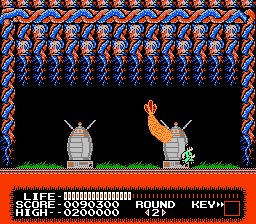
5. Monster Party (NES)
The weirdness kicks in right from the off in Monster Party, the gamestarts with a cut scene of the main character, Mark, walking home froma baseball match with his bat over his shoulder. A gargoyle named Bert(as all the famous gargoyles are) spots him and whisks him away to hishome planet charging him with killing all the invading monsters withhis trusty bat.
It’s the bosses that really steal the show here with one being agiant spider lying on the floor, you enter the room and he shouts“Sorry I’m already dead” and that’s it, you win!! Result!! Othersinclude 2 zombies who dance for 30 seconds then collapse and die, abouncing shrimp and a huge cat that throws small kittens at you.
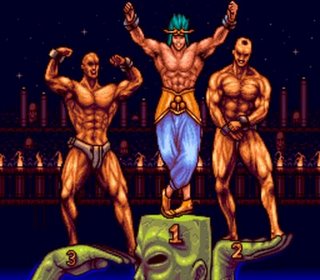
4. Chou Aniki (PC Engine)
Described as the most homoerotic game ever, Chou Aniki, meaning“Super Big Brother”, could be described as a one on one beat ‘em upalthough all the characters float. The series is hugely popular inJapan and the highlights include musclebound men in Speedos firingwhite liquid from holes in their head, lesbians, a boss fight against anaked man in a bathtub and the temple of Gay Pleasure!
There really is no other way to describe it than 100% gay. Amazinglyenough while the original never made it out of its home country it hasrecently been released on the Virtual Console, just don’t let anybodycatch you playing it.
3. Sexy Parodius (PSOne)
Another sexually explicit game though this ones a bit more for thestraight people out there, Sexy Paridous features bunny sisters Hikaruand Akane and is full to the brim of Japanese Hentai nudity.
The game plays pretty much the same as any other Paridous bar theinclusion of huge naked Lady’s as bosses! Nice!! This, the 4th game inthe series, is my favourite but that’s probably because I’m a bit of apervert and you’ll find it on the recently released PSP title ParidousPortable. Like Chou Aniki you would have a bit of explaining to do ifyou were found playing this alone.
2. Bible Adventures (NES)
It’s my opinion that there just isn’t enough games based on the goodbook and developer The Wisdom Tree must have felt the same when theydecided to make this.Part of a series that included must have titlessuch as Super 3D Noahs Ark, Sunday Funday and the King of Kings.
Bible Adventures saw you take part in various biblical stories suchas loading the animals onto the ark, battling against Goliath andtransporting the baby Moses down the Nile. Possibly the best part wasthe ability to throw Moses in the river and watch him slowly drown.
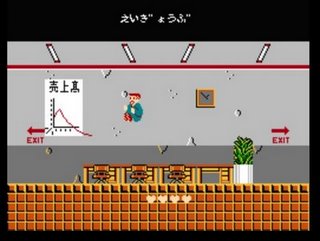
1. Takeshi’s Challenge (Famicom)
No doubt I’ll get a few comments along the lines of “This gameshould have been in it etc.” but there can be no debate that this trulyis the weirdest game of all time. Developed by Japanese film directorBeat Takeshi the title screen proudly displays the words “This game wasmade by a man who hates video games”! He obviously hates the peoplethat play them as well as not only is it the weirdest it quite possiblythe hardest!
Different parts of the game require you to sing into the built inmicrophone in the Famicom’s controller, another tells you to do nothingfor 60 minutes and another to avoid getting divorced. All this leads toa boss that needs to be hit twenty thousand times to die which takesroughly three hours. Truly, truly bizarre.
The raw specs are 140W TDP for the 9950 at 2.6GHz and 65W for the 9350e at2.0GHz and 9150e at 1.8GHz. The prices are $235, $195 and $175 respectively, andthe sharp-eyed among you will notice that the 9950 costs exactly what the 9850does. That is because in a week, on July 7, the 9850 will drop to $205. Bothwill remain 'Black', but the 9950 will be blacker because, before the end of theyear, the 9850 will fade from black, and go back to a locked part.
You have to wonder why AMD is bothering to lock Phenoms at all, with theBlack parts selling at effectively no premium, why not just let people have fun.Anything AMD can do to foster the enthusiast market at this point is probably agood thing, and if you don't have the raw speed, play up the features.
In any case, the interesting part of the bunch is the 9350e. It isn't a barnburner, but for media center boxes, coupled with a 780G board, or better yet a790GX, it could be a pretty solid media/casual gaming rig. This part fills ahole in the market, there aren't any sub 95W Intel quads out there formainstream consumer use, but there could be quite easily if the 9350e is a hit.
In any case, hardcore gamers will probably turn up their noses at the lowclock speeds in the -e parts, but as long as you are not trying to eke out thelast FPS, these parts would make a dandy low-noise desktop.
So, how did they do? Using the same exact setup as the we did with theoriginal780G review, the numbers lined up quite well. To recap, that is a GigabyteGA-MA78GM-2SH mobo, Corsair DDR2 1066 memory and a PC Power and Cooling/OCZSilencer 750W PSU. Power draw was measured at the wall with an Extech True RMSPower Analyser. The same caveat as last time needs to be said, the PSU isunderworked and far less efficient that it would be if we were pulling 500+ W,so knock about 20+ per cent off the wall power to get power used by the boarditself.
We ran our usual power draw test, 3DMark06 under XP SP3 patched to current asof June 28. Just for fun, we threw in the 4850e and the X4 9600 from the lasttest, as well as the 8750 X3. So now you can compare a K8, X3, X4 B2 and a X4 -ein terms of power. It looks like this.
The raw numbers The lowest idle number is of course the 4850e, and it beats the quads byalmost 20W, the really odd part is the greater than 20W gap from there to the8750 X3. Lose one core, gain 20W? Binning problem, or binning opportunity? Thedual core 4850e also takes the bottom of the loaded power charts, and there is abig 33W gap to the 9350e. From there, the 8750 and 9600 are almost on top ofeach other.
Performance is about where you would expect it to be, the 4850e taking up thebottom with sub-1200 scores, and the others right on top of each other at1540+/-2. A quick overclock of the 9600 to 2.8GHz barely moved the score, so3DMark06 looks pretty GPU bound here.
In the end, with the new parts are priced pretty low, but won't challengeIntel for supremacy. For the high end 9950, you gain 100MHz for a few watts somake sure your mobo can handle the extra. In a week, it will not cost you anymore than a 9850, so you might want to hold off for a few days.
The 9350e and the 9150e look to be solid and inexpensive workhorses for theHTPC/SFF/quiet office PC set. You give up 200MHz for 30W, not a bad trade. Theyare solidly mid-range parts that won't stun any gamers, but they plug gaps inthe market, and do so quite nicely.
It's so early in development that it doesn'thave a name yet, but I'm already quite intrigued by the new MMO fromthe creators of Neopets.
Adam Powell and Donna Williams struck it rich with Neopets,an online virtual-pet site that grew so popular with kids and femalegamers that the pair sold their creation to Viacom in 2005 for $160million. Now, as founders of a startup called Meteor Games,they're working on something markedly different for an encore: A newMMO game that blurs the lines between traditional massively-multiplayergames, social networking, and casual gaming.
"We're World of Warcraft players ourselves," says Powell, "and wewouldn't want to compete with them. The game is really more casual --we want players to be able to play it for five, ten minutes at a time."
Imagine sitting down for a game of chess inside the 3-D virtualworld of the MMO. Your opponent is a real live person, but they'replaying the game in a simple Flash browser window, without all of thefluff around it. Or imagine playing a version of the classic cell phonegame Snake, but at the end of the game, the snake comes to life in theMMO and starts attacking enemies for you.
Neopets,Williams and Powell readily admit, is often seen now as a child'spastime. But that game's original target audience was an older set --teens and young adults. But after the pair launched Neopetsin 1999, the game took on a life of its own and became so popular withthe younger audience that the twosome didn't want to sacrifice theintensely lucrative younger market.
The goal of their unnamed new project is to capture the traditionalgamers. The art style is going to be cartoonish, certainly, but unlike Neopets,it won't trade realism for saccharine sweetness. Instead, Williams andPowell are drawing inspiration from a litany of sources near and dearto children of the 1980's.
"It's sort of traditional high fantasy with a little bit of sci-fi,"says Powell. "It's like a lot of 80's films that we love, like Labyrinth or Legend."
"Or The Dark Crystal," adds Williams.
So then, is this game merely lifting ideas from the lucrative well of collective nostalgia to compete with World of Warcraft?Apparently not. The game itself seeks to target a demographic somewherein between the hardcore MMO fan and his 7-year-old younger sister. Theword "tween" was mentioned, though I picked up on an obvious distastefor the term.
Key to attracting this audience, say the designers, is the game'sreliance on a hybrid financing plan. Players will be required to payfor a subscription, though Powell was very quick to point out that itwon't be nearly as expensive as those of traditional MMOs, whichgenerally run in the neighborhood of $15 per month.
Instead, the stated goal is to offer players a monthly fee of under$10, making up the difference and more with the ability to buy in-gameitems with small microtransactions. But kids with more pocket moneywon't be able to power up for cash.
"We are strongly against letting players buy an advantage," saysPowell. All of the microtransactions, he says, will augment theplayer's looks, not powers: New houses, new clothes, new pets.
And yet neither subscriptions nor microtransactions are anything newin the world of online gaming, so what sets this unnamed MMO apart fromthe rest of the pack? Synergy. Don't worry, they didn't actually dropthat buzzword during our conversation, but after describing the way thegame would span several different platforms in real time, there simplyisn't a better word for it.
As an example, Powell detailed one possibility, involving a simplegame of chess. At launch, the game itself will span both a traditionalMMO client as well as a social-networking website, and that simple gameof chess can be accessed through either, he explained.
Let's say one player is sitting inside the MMO. He's at a table inhis own fully 3-D virtual house and in front of him is a chessboard. Hemoves a pawn, waits, and the opposing side moves against him. Onlyinstead of challenging another player within the MMO, he's playingagainst someone who is playing chess via a simple Flash applicationembedded into the website. Each of their moves is relayed to oneanother in real-time, and both receive certain levels of virtual rewardfor the activity.
To explain how the reward system would work for someone interactingwith the MMO from the outside, Powell offered another example the grouphas planned for the title.
Remember Snake? That game where you maneuver a squigglyline around a board to collect pellets in the hopes of extending yourline's length? If you don't recall, check your cell phone. I guaranteeit's on there. The new MMO's website will have a Flash game similar to Snakebuilt into it. Instead of simply hoping for a high score, playersmaneuver the snake around the board in a hunt for pellets with theultimate goal of making the snake come to life.
Once you've collected enough points in the Flash game, your snakewould spawn within the 3-D MMO world and start attacking foes on yourbehalf, earning experience points for you whenever it successfullykills something.
Besides the basic versions of the mini-games, the social networkingsite will also contain your standard sort of Facebook-styled features.It's unclear how in-depth the system will be, but expect messaging,friends lists and everything you've come to love and/or loathe from theMySpaces of the world.
At launch the game's technology blending will only stretch as far asthe MMO itself and its official site, but the duo also plans toeventually roll out cell phone software that works with the system.Powell and Williams said that they have not yet decided how the phoneswould be implemented into the overall world, but giving players thechance to interact with the game while away from a computer is the sortof idea that could result in unforeseen levels of MMO addiction anddevotion.
Normally I'd be very cynical about a game relying so heavily on thissort of technological confluence -- particularly given thehyper-adorable, kid-centric current state of Neopets -- but assuming that these creators can actually deliver on the ideas they have for this game, it could be huge.
Of course, since the game is extremely early in development, no oneoutside of the 40 people on the development team will be playing it anytime soon. Powell and Williams say that they hope to publicly demo thetitle for the first time at Penny Arcade Expoin Seattle this August. If things go well, they plan on releasingsomething playable, whether it be the final game or a public beta, inearly 2009.
While there's been rumours surrounding the D700 for some time now, at a press event in London yesterday, with TechRadarpresent, Nikon finally confirmed it is to release the D700 andexplained how it fits into the company's expanding DSLR portfolio.
The D700 is a 12MP camera that uitlises the same image quality of its bedfellow, the Nokon D3.
The12MP images come courtesy of the cam's CMOS sensor, while othertechnology taken from the D3 include the EXPEED high-speedimage-processing system, 14-bit A/D conversion and 16-bit processingpipeline that helps with smoothing out images when they are reproducedon a large scale.
Lightweight design TheNikon D700 is a lightweight and durable camera that builds on the workdone by the company with the D3, but achieves it with a smaller,lighter design.
Working in low-light conditions the D700 isimpressive, shooting up to ISO 6400 and delivering virtually noise-freeimages, according to its makers.
Continuous shooting can bedone 8fps with the appropriate battery pack, while autofocus is done toprecision with a 51-point AF system.
As Nikon has made its DSLRrange easier to carry, it has taken on board that people may want toshoot in less-than perfect conditions, so the company has added a sealto the camera that protects it from moisture, dust and evenelectromagnetic interference.
The sensor is also protected withan Integrated Dust Reduction System that stops the CMOPS chip fromcoming into contact with dust and humidity.
Recognition Oneof the newer options is the ability for the camera to recognise peopleand places and to automatically configure the controls accordingly.Included is Nikon's Scene Recognition System, and the camera will alsorecognise certain colours that can aid in faster capturing of, say,individuals at a sports event.
As with most new cameras, the D700 houses Live View, but the company has made the mode more responsive this time around.
Accordingto Nikon, you can now focus the camera while in this mode, and you canalso zoom in, which can aid in setting up the focus for your shot.
The menu system is the same as that found on the D3 and D300 so regular Nikon users will feel right at home using the camera.
TheNikon D700 is an expansion of the companies FX range and has beendesignied to sit in between the D3 and D300 in terms of technology. Thecamera is out in July at a price of £1,999.99 (body only).
The introduction of Nikon's new D700 may been one ofthe worst kept secrets in an industry with more leaks than the Titanic,but it was still something of a surprise coming so hot on the heels ofthe D3 and D300. Essentially a D3 shrunk down and squeezed into a bodyroughly the same size as a D300, the D700 is Nikon's first 'compact'professional SLR, and seems designed to go head-to-head with whateverCanon has up its inscrutable sleeve to replace the EOS 5D.
Theimaging side of the D700 is pretty much the same as the D3; it sharesthe acclaimed 12.1MP full frame ('FX') sensor and has the sameprocessing engine, so we would presume output to be almost identical.The main differences (aside from being considerably smaller) arephysical; there's a different shutter (good for 150,000 exposuresrather than 300,000 on the D3), different viewfinder prism (with 95%coverage) and a slower burst rate. You also lose the rear LCD infopanel (there's no room for it) and one of the D3's two CF card slots,but you do get a couple of extra features to soften the blow slightly;most notably a self-cleaning sensor and a built-in flash. We'll look alittle more in-depth at the differences between the D3 and D700 in amoment.
Japanese teachers might feel a little uneasy about their jobsecurity, as one of the country’s schools has begun triallingNintendo’s DS console as a way of teaching kids to read and writeEnglish.
A Japanese student learns English with her DS
Image courtesy Reuters
According to a reportby Reuters, Japan's education ministry allows schools to decide onwhich teaching tools to use, whether it’s pencils and textbooks, orinteractive games consoles.
The Tokyo Joshi Gakuen all-girls school opted for the DS and hasbeen using the console in classrooms since May, as part of a one-yeartrial. Students use the console primarily for English vocabulary,penmanship and audio comprehension.
Junko Tatsumi, Vice Principal at the school, said that students are“really concentrating and have fun in gaining skills such as spelling".
The school clearly still has reservations about potential ‘abuse’ ofthe console’s features outside of English lessons. The vice principaladded that once English lessons have ended, “students cannot play DSgames outside - all consoles and software are collected" beforehome-time.
US students are more interested in listening to music during classthough, it seems. Since February, around one in every 100 students atthe Fort Summer High School, New Mexico have been encouraged to watcheducational videos and listen to lectures on Zune players donated byMicrosoft.
Almost all content is either created or recommended by the school’steachers, with students encouraged to plug-in during class hours and onjourneys to and from home. The trial aims to discover if such devicescould eventually be incorporated into everyday education.
"Important? Tennis games?!" I hear some of you scoff. And sure,while few of us really look forward to the next iteration of Top Spinor even Virtua Tennis, the genre has played a major role in the birthand development of the videogame industry. Even now, it's often tennisgames that are pushing the frontiers of analogue sensitivity andcomplexity against the need for intuitive user-friendliness in consolecontrols.
So, while Wimbledon hots up, here's a quick run through of the keytitles, together with nostalgic YouTube footage. Grab a bowl ofstrawberries, some clotted cream and a cheeky glass of Pinot (I don't care if you're at work - get into the spirit of things) and join me on a brief amble down tennis memory lane.
Tennis for Two (1958, Oscilloscope) Running on the oscilloscope at the Brookhaven National Laboratory andprogrammed by physicist William Higinbotham, Tea for Two was arguablythe first computer game ever made (though some point to the evenearlier project, OXO). Check out the YouTube footage!
Pong (arcade, 1972) Al Alcorn's take on the Magnavox Odyssey Tennis game essentiallykickstarted the games industry, both in the arcades and later, on homeconsoles. The title symbolises the odd, apologist relationship gamershave with software - many claimed to be able to produce spin on theball, although this functionality was never part of the program (thedirection of the ball was affected by the area on which it struck thebat, but that was about it).
Match Point (1984, Spectrum) Psion Software's early effort pitched featureless stickmen against eachother in a rough approximation of the Wimbledon finals. The visualswere sparse but the simulation was pretty advanced for the time -players could control the speed and direction of the ball with defttiming and after-touch. Looking back, the ball boys bear an unfortunateresemblance to Starvin Marvin from South Park. YouTube video here.
Super Tennis (1991, SNES) Perhaps the first modern day tennis sim, featuring an array of courtsurfaces, lots of differently-skilled players and several two-playermodes. It is, however, mostly remembered for its fast, intuitive action- a sort of Tennis equivalent of Sensible World of Soccer. Thescrolling court visuals and crisp sound samples impressed gamers at thetime, too. YouTube it up!
Pete Sampras Tennis (1994, Mega Drive) Codemasters' sleek Mega Drive effort matched Super Tennis for sheerplayability, adding some of its own eccentric features, including aCrazy Tennis mode where you could play against portly platform hero,Dizzy. Codies also introduced its J-Cart technology allowing up tofour-players to take part in doubles matches.
Virtua Tennis (1999, arcade and Dreamcast) The defining tennis sim of the modern era. The Dreamcast original mixedintuitive controls with lovely animation to produce a simulation ofincredible depth. The World Tour mode was an inspired addition,providing a range of surreal mini-games to test different aspects ofyour game. Subsequent iterations have tweaked the formula and improvedthe visuals, but the essence of this Sega NAOMI/Dreamcast classicremains unmolested. Here's a trailer.
Wii Sports Tennis (2006, Wii) A popular element of the revolutionary Wii Sports compilation, drawingimpressively accurate motion-sensing performance from the Wiimote.Okay, so your lack of control over the onscreen player could getannoying at times, but the fun of acting out physically extravagantshots - often at the risk of the odd patio door or Ming dynasty vase -is what this game was all about. Here is a silly Wii Tennis 'accident' movie.
Okay, so what vital tennis titles have I missed? The first person tosuggest Anna Kournikova's Smash Court Tennis will be sent to thenaughty step.
I don’t know about you but I’m not much into fancy-pants 3D firstperson shooters. I can’t be bothered to build a massive gaming rig,blow $500 on a video card, and figure out what custom weights give me the best mouse response.
I’ve got a WII, and I love it, and one of the big reasons I do is for the emulation. Sadly however, I can’t bring my WII to work or to the coffee shop down the street - but I can bring my laptop, jump on their WiFi and fire up these four awesome sites for a quick old school gaming fix!
VirtualApple (Apple II and Apple IIGS) I don’t know about you but every now and then I get a craving tohunt square rabbits, hire unfit workers, make them walk too far andthen lose three days because I’ve got scurvy. Virtual Apple alwayssatisfies my Oregon Trail fix; but don’t other classics like JohnElway’s Quarterback, Crystal Castles, and Max Headroom (don’t lie, youremember Max Headroom).
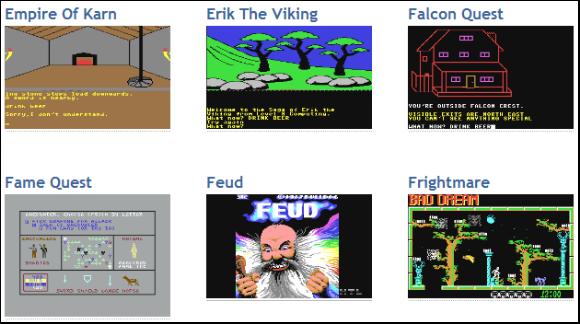
c64s.com (Commodore 64) My family’s first computer was the UPS-brown Commodore 64, so thisone really takes me back. I even remember “modding” the case to thenewer, more angular style when it came out. Yikes. Thrill to suchCommodore favorites as Zork, Wizard’s Lair and Pakacuda. The site hasall the titles categorized by genre and features screenshots - furtherunderscoring the real graphical prowess of the C64!
Virtualnes.com (Nintendo Entertainment System) vNes has a huge catalog of NES cartridge titles available for play on their site via a Java-based emulator- 765 of them to be exact. I’ve noticed a few problems with slowness ona few titles, but all in all it’s an excellent place to play old gamesonline and satisfy your urge to jam on Super Mario Brothers, Zelda, orone of my favorites: Ivan Stewart’s Super Off Road.
Playnes.net (Nintendo Entertainment System) Another big catalog of NES titles, but you’re able to register whichgives you the ability to save states in the games you’re playing. Youcan even open other people’s states - meaning that when your buddy getsstuck trying to battle through the ninjas, you can swoop in, rescue thePresident, and prove just how bad a dude you really are.
GetBack.Com Arcade Unlike the rest of the sites I listed, GetBack isn’t strictly agaming site. It’s kind of a “throwback culture” site. The upside isthat they do have several games in their arcade that you can play, likeIntellivision Backgammon and River Raid.
What about you? Where do you go to satisfy your vintage gaming urges? Let us know!
Linux Thedaddy of people power, this open source operating system owes prettymuch everything to the massive community of users and developers who'vebuilt it, broken it, put it back together again and added all sorts ofgoodies.
The penguin logo unites a truly incredible group oftalented people, from driver developers to desktop designers, advocatesto application builders.
Firefox Even people who think that Linux is a character in the Peanutscartoon know about Firefox. What makes it special isn't the open sourcecommunity that created and maintain it, however; It's the efforts ofthe developer community whose extensions make Firefox the Swiss ArmyKnife of the internet.
Whether you want to block annoying ads,keep track of interesting sites or just stay up to date with footieresults from around the world, if you can imagine it, there's almostcertainly an extension that does it.
Half-Life 2 This month we've mostly been playing Minerva, Adam Foster's excellent mod for Half-Life 2 (http://developer.valvesoftware.com/wiki/MINERVA). Modders have been creating new stories since the days of Doom, and a quick look around Moddb (www.moddb.com) uncovers stacks of mods for your favourite PC games.
Smartdevelopers - such as Half-Life's Valve - know that mods make theirgames even more attractive, so the firms make modding as easy andaccessible as possible.
Xbox Is your original Xbox gathering dust in the loft? Why not dust it down and turn it into a fully-fledged media centre?
While Microsoft blabs about the 360's multimedia features, the talented team at the Xbox Media Center project (www.xboxmediacenter.com)can turn an ageing original Xbox into a multimedia marvel (although ifyou don't fancy modding your console, steer clear - XBMC only works onhacked machines).
Job done, they're turning their attention to other platforms: a Linux version of the software is in development.
TiVo Thecommunity that's sprung up around the TiVo digital video recorder(www.tivocommunity.com) is a thing of wonder, with users offering eachother advice, commenting on the company and fiddling with its products- often in ways that would give film and TV studios heart attacks.
While TiVo claims not to encourageor discourage the hacking community, it's pretty obvious that thehacking community makes the product even more attractive to tech-heads- and hackers' ideas often turn up in the official product, such aswhen the community found and fixed a date problem in older TiVo boxes.
iPhone iPhonehackers aren't just trying to free the phone for use on any network.They've found ways to turn your existing tunes into ringtones withoutpaying for them all over again, created all kinds of add-onapplications and best of all, found a way to change the truly horriblefont on the Notes screen.
PlayStation Portable Sonydoesn't like it - recent firmware updates mean that unless you've gotan older PSP, your options are limited - but thanks to Homebrew (www.psp-homebrew.eu)you can add all kinds of goodies to the device. There are loads,including customisers, emulators, chat programs and GPS software.
Overclocking Changingchips' clock speeds and hoping they wouldn't set your house on fireused to be a shadowy pursuit that tech firms frowned upon. Thenhardware firms realised that overclockers had money as well as PCs toburn.
Now, motherboard makers often provide everything a speeddemon needs, either in the motherboard BIOS or on the driver CD, andgraphics card firms are keen too. For example, ATI actively encouragesoverclockers to ramp up their Radeons.
Windows Media Center Microsoft'smedia system is pretty nifty, but it's niftier still when you tweak ituntil it squeaks. Microsoft knows this, which is why it happily linksto two independent community sites: the Media Center-specific GreenButton (thegreenbutton.com), and the general audio-visual AVS Forum(www.avsforum.com/avs-vb).
The software giant also has its own community site (www.microsoft.com/windowsxp/expertzone/communities/mediacenter.mspx), where media center experts share their top tips.
Web apps Firms who make it easy to interact with their online apps have createda massive community of developers. Google Maps has been adapted toprovide maps of speed cameras (http://spod.cx/speedcameras.shtml) and to create flight simulators (http://www.isoma.net/games/goggles.html), while keen developers have created software for apps such as Google Mail and Flickr.
You'll also find useful and useless apps alike on social networks such as Facebook.
When Valve summoned a handful of US and UK journalists to itsSeattle headquarters at the end of last month, it promised to talkabout the future of Steam, its digital distribution system. That itdid, revealing the ambitious Steam Cloud service for remote storage of game data, and boasting that it would soon be making more money selling games digitally, all the while remaining untroubled by piracy.
Valvemastermind Gabe Newell and his cohorts had an ulterior motive forbringing reporters together, however, and unusually for an ulteriormotive, it wasn't a wholly self-interested one. It was this: toevangelise the PC as the games platform of the future.
"Thisreally should be done by a company like Intel or Microsoft, somebodywho's a lot more central to the PC," says Newell, pointing out thatcompanies like Blizzard, PopCap and GameTap would have just as much tosay as Valve about how PC gaming is leading innovation in technology,business models, and community-building. But, notwithstandingMicrosoft's occasional promotionof Games For Windows - an initiative Newell refrains from attackingdirectly, but exudes disdain for - that support has not beenforthcoming.
Where console platforms have merciless andwell-funded PR armies poised to combat any criticism, negative storiesabout the PC - mostly publishers, or developers like Crtyek,complaining of rampant piracy and flat sales - run unimpeded. Salesdata that focuses solely on boxed copies sold at retail appear to backthem up. Valve has had enough. "There's a perception problem," saysNewell. "The stories that are getting written are not reflecting whatis really going on."
You want figures? There are 260 million online PC gamers, a marketthat dwarfs the install base of any console platform, online oroffline. Each year, 255 million new PCs are made; not all of them forgaming, it's true, but Newell argues that the enormous capitalinvestment and economies of scale involved in this huge market ensurethat PCs remain at the cutting edge of hardware development, andconsoles their "stepchildren", in connectivity and graphics technologyespecially. Meanwhile, Valve's business development guru, JasonHoltman, notes that without the pressure of cyclical hardware cycles,PC gaming projects - he points to Steam as an example - can groworganically, over long periods of time, and with no ceiling whatsoeverto their potential audiences.
More pertinent, perhaps, are thefigures directly relating to games revenue that the retail charts -admittedly a stale procession of Sims expansions and under-performingconsole ports - don't pick up. "If you look into the future, there's animportant transition that's about to happen, and it's going to happenon the PC first," says Newell.
At its heart, he explains, is a shift from viewing games as aphysical product, to viewing them as a service - something that is alsohappening in other entertainment media. Digital distribution is part ofthat; more fluid and varied forms of game development, with games thatchange and engage their communities of players over time, are another;as is, naturally, the persistence and subscription (or otherwise)revenues of MMO games. None of this is reflected in the sales chartsanalysts, executives - and gamers - obsess over.
Valve sees 200per cent growth in these alternative channels - not just Steam, butincluding the likes of cyber-cafes as well - versus less than 10 percent in bricks-and-mortar shop sales. Steam has a 15 million-strongplayer-base with 1.25 million peak concurrent users, and 191 per centannual growth; none too far off a console platform in itself. The PCcasual games market, driven by the likes of PopCap, has gone from nextto nothing to USD 1.5 billion dollar industry in under ten years, andhas doubled in size in just three. Perhaps most surprisingly, Valve hasfound that digital distribution doesn't cannibalise retail sales - infact, a free Day of Defeat weekend on Steam created more new retailsales than online ones.
And then there is the game that many claim has been the death of PCgaming, but that Valve sees as its greatest success story, and itsfuture. "Until recently, the fact that World of Warcraft was generating120 million dollars in gross revenue on a monthly basis was completelyoff the books," Newell says. "Essentially, [Blizzard is] creating a newIron Man every month, in terms of the gross revenue they're generatingas a studio. Any movie studio would be shouting about that from therooftops. But it was essentially invisible."
Newell thinks thatWOW is "arguably the most valuable entertainment franchise in any mediaright now", and also believes, rightly, that it could only ever havehappened on the PC. He also tips his hat to South Korea's Nexxon forits enormous success with free-to-play, microtransaction-driven gameslike Kart Rider and Maple Story, soon to be aped by EA's BattlefieldHeroes.
There is another reason for the gulf between theperception and the reality of the games market, Valve thinks, and it'sa geographical and linguistic one. The dominance of the Englishlanguage gives the US and UK games markets, where the PC is weakest,undue prominence. In several major Western markets - notably Germanyand the Nordic countries - the PC performs much better. What's more, inthe emerging markets of China, Korea and Russia, where gaming is seeingunprecedented, explosive growth, console install bases are negligible,and the PC is king. Valve thinks that there's a silent majority ofglobal gamers who are skipping the console era entirely, the way thesedeveloping nations already skipped dial-up internet.
Steam isavailable in 21 languages for this reason, and Valve reckons that itsspeedy localisation and lack of physical distribution is an effectivecounter to the piracy common in these markets. It's also allowing Valveto get games to players in regions traditional channels don't support."PC's are everywhere in the world," says Holtman simply. "PC's are thesame all over the world. All of sudden, if you can open up emergingmarkets and go somewhere like Russia or South East Asia, you've goneway further than you can go with a closed console. There are 17 millionPC gaming customers in Russia alone."
A key shift in this brave new world of games as services rather thanproducts - and one that runs contrary to the traditional image of PCgaming - is a move away from graphical fidelity being the yardstick ofprogress. "As a company that's really proud of the job we do withgraphics it's funny to say this," Newell says, "but we get a betterreturn right now by focusing on those features and technologies thatare about community, about connecting people together."
He citeseasy uploading of gameplay videos to YouTube as a bigger source ofentertainment value than marginal improvements in graphics. "I thinkthat people thinking about how to generate web hits on their serversare a lot closer to the right mentality for what's going to besuccessful in entertainment going forward, than somebody that's used tohaving conversations about how to get end caps at Best Buy."
Therevolution in distribution and business models also offers a major newopportunity for smaller games - and smaller games developers - tothrive. The demands of retail - the logistical problems of gettingboxes to shops, and the budgetary drain of huge marketing campaigns -mean that bigger is necessarily better in the traditional games market.
Notso on Steam and its equivalents, says Valve, pointing to the hugesuccess of indie darling Audiosurf, as well as its own Portal. "As youmove away from that huge first weekend, big blockbuster mentality,"says Newell, "you're getting back to an area where smaller and smallergroups can connect with customers. I think you're going to find thatthe enjoyment of being in the game industry as a developer on the PC isa lot greater than outside of it."
He's backed up by an actual indie, Audiosurf creator Dylan Fitterer.This one-man development, created without financial backing -impossible on consoles, due to the cost of development kits - was thebest-selling game on Steam full-stop at its release, outclassing manybig-budget titles. "I didn't have to ask anybody if I could release it,except for my wife," Fitterer says. "It took a few years, and I waspretty darn tired by the time it was ready. Something likecertifications? No thanks." He also points out the tight limitations ofconsole servers versus PC servers for online gaming; Audiosurf'sscoreboard for every song ever recorded would be out of the question ona closed platform.
Holtman argues that Steam and Steamworks - thesuite of free tools it offers - revolutionise the environment fordevelopers and publishers. The auto-updating system means that a gamecan be developed right up to release and beyond. It eases painfulcrunch times, and allows game makers to respond to their audiences,publishers to develop their titles as continuously evolving franchisesrather than finite products.
"All of a sudden, PC games becomethis thing that's reliable and up-to-date," says Holtman. Team Fortress2 designer Robin Walker weighs in, noting that the PC version of theshooter has had no less than 53 updates since its release last year -something that certification cost and time have prohibited for onconsole - and that this "ship continuously" ethos is a key component tothe success of the best multiplayer titles. Steam, he says, makes thatprocess fast and transparent.
"I don't want anyone between me andmy customers," says Walker. "I want to write code today and I want allmy customers running it tomorrow." Possible on the PC - Steam inparticular, naturally. Not possible on consoles. For his part, Fittereradded achievements to Audiosurf in a total of two days. This constantiteration creates a feedback loop between developer and customer that,reckons Walker, can only improve the quality of the game. "The more Italk to my customers, the better my decisions will be. Without a systemof talking to my customers, I will make bad decisions."
The implication is a striking one: sporadic, excessively controlledupdating means that console multiplayer games will never reach theheights of their PC counterparts. There is a counter-argument - that PCgames descend into a poorly-defined, indistinct mess of constantpatching - but it is effectively squashed by the fact that, if you lookfor a multiplayer game with the longevity and massive popularity of aWOW or a Counter-Strike on console, you won't find one (with the veryarguable exception of Halo).
Auto-updating is the reason Valvecreated Steam in the first place. It's the reason it now finds itselfin an odd position for a developer: semi-publisher, leadingdistributor, market analyst, agony uncle and technocrat - not tomention defender of a platform that's still being proclaimed dead, whenall signs point to the very opposite.
At the end of the day, PCgaming's health - and its trickiest challenge - comes down to a bottomline that even the format's detractors can't refute: there are just somany of the damn things. "We think the number of connected PC gamers weare selling our products to dwarf the current generation of consolesput together," states Newell. "There are tremendous opportunities infiguring out how to reach out to those customers.
Bill Gates may have only just saidhis goodbyes, but the Microsoft machine keeps on running with thecompany announcing information about the release of Windows 7.
Thepaint may not have even dried on the Windows that is Vista, but itseems that Microsoft is already looking to launch its successor withinthe next two years.
In a letter to enterprise and businesscustomers on Tuesday, vice president of Microsoft Bill Veghte announcedthat the approximate launch date for Windows 7 is January 2010.
Seventh heaven Inthe letter, Veghte wrote: "Our plan is to deliver Windows 7approximately three years after the January 2007 general availabilitylaunch date of Windows Vista.
"You've also let us know you don'twant to face the kinds of incompatibility challenges with the nextversion of Windows you might have experienced early with Windows Vista.
"Our goal is to ensure that the migration process from Windows Vista to Windows 7 is straightforward."
Well,if Intel is anything to go by, it won't be the migration from Vista toWindows 7 that will be the problem, it will be the migration from XP toWindows 7 that most computer users will be worried about.
Milestone 1
The first known build of Windows 7 was identified as a "Milestone 1(M1) code drop" according to TG Daily with a version number of6.1.6519.1. It was sent to key Microsoft partners by January 2008 in both x86 and x86-64 versions. Though not yet commented on by Microsoft, reviews and screenshots have been published by various sources.The M1 code drop installation comes as either a standalone install or one which requires Windows Vista with Service Pack 1, and creates a dual-boot system. On April 20, 2008,screenshots and videos of a second build of M1 were leaked with aversion number of 6.1.6574.1. This build included changes to WindowsExplorer as well as a new Windows Health Center.
A standalone copy of build 6519 was leaked initially to private FTPsby BETAArchive on June 10, 2008, which quickly spread to many torrenttrackers.
Later builds
According to TG Daily article of January 16, 2008, the Milestone 2(M2) code drop was at that time scheduled for April or May of 2008. User interface appearance changes are expected to appear in later builds of Windows 7.
Milestone 3 (M3) is listed as coming in the third quarter, with the release to manufacturing in the second half of 2009. The release dates of a beta version and a release candidate are "to be determined".
Bill Gates commented in a press conference in April 2008 that a new version [of Windows] would come "in the next year or so".According to additional clarification by Microsoft, he was onlyreferring to availability of alpha or beta versions of Windows 7.
Unveiling
The Windows 7 user interface was demonstrated for the first time at the D6 conference during which Steve Ballmer acknowledged a projected release date of late 2009.The build of Windows 7 that was on display had a different taskbar thanfound in Windows Vista, with, among other features, sections dividedinto different colors. The host declined to comment on it, stating "I'mnot supposed to talk about it now today".
Features Windows 7 has reached the Milestone 1 (M1) stage and has been made available to key partners.According to reports sent to TG Daily, the build adds support forsystems using multiple heterogeneous graphics cards and a new versionof Windows Media Center New features in Milestone 1 also reportedly include Gadgets being integrated into Windows Explorer, a Gadget for Windows Media Center, the ability to visually pin and unpin items from the Start Menu and Recycle Bin, improved media features, a new XPS Viewer, and the Calculator accessory is multi-line featuring Programmer and Statistics modes along with unit conversion.
Reports indicate that a feedback tool included in Milestone 1 lists some coming features: the ability to store Internet Explorer settings on a Windows Live account, updated versions of Paint and WordPad, and a 10 minute install process. In addition, improved network connection tools might be included.
A new feature in build 6574, Windows Health Center, allows the user to monitor all of their PC's health problems, and concerns in one place. It allows turning User Account Control on and off, and monitoring 3rd party anti-virus programs, firewalls, etc.
In the demonstration of Windows 7 at D6, the operating systemfeatured multi-touch, including a virtual piano program, a directionsprogram and a more advanced paint program.
Windows Server 7


 The Trees (Rush)