An exclusive gaming industry community targeted
to, and designed for Professionals, Businesses
and Students in the sectors and industries
of Gaming, New Media and the Web, all closely
related with it's Business and Industry.
A Rich content driven service including articles,
contributed discussion, news, reviews, networking, downloads,
and debate.
We strive to cater for cultural influencers,
technology decision makers, early adopters and business leaders in the gaming industry.
A medium to share your or contribute your ideas,
experiences, questions and point of view or network
with other colleagues here at iVirtua Community.
You. Your friends and family. Your classmates and coworkers. In thebrave new world of the internet, everybody has power. Information isinteractive, knowledge is collaborative and history is open source. Thenerdy kid next door has just as much influence as a high schoolteacher; the dorky dude at the comic book shop has just as much voiceas a college professor.
Problem is, the nerds and dorks tend to have a lot morefree time - and passion - than the teachers and professors. The endresult? A hilariously skewed, terrifyingly twisted view of the world inwhich all the wrong things are deemed "important" and worthy of seriousacademic discussion.
Here are 15 mind-boggling examples.
See what we mean? When the deadliest, costliest war in the history of mankind has been trumped by a videogame franchiseabout that war,you know something's off. One involved over 50 countries and took over70 million lives; the other involves button mashing and tea bagging.
On an encouraging note, we did have to add all the Call of Dutygames' individual pages together to reach the crazy number above. On adiscouraging note, we didn't have to add Call of Duty 4 and itsnon-WWII setting, which would have brought the total word count to aneven crazier 18,927.
Oh, and on a simply ridiculous note? Call of Duty 4: Modern Warfare beats "modern warfare"... 5,858 to 2,873.
Alsoless important than Call of Duty! • American Revolutionary War = 8,078
• American Civil War = 11,729
• English Civil War = 8,030
• Napoleonic Wars = 7,951
• Hundred Years' War = 7,992
• War on Terrorism = 10,674
• War on Drugs = 7,628
• Cold War = 10,117
• "War" = 9,233 While the magic menagerie of super-powered, frilly-maned, sparkly-eyed, rosy-cheeked wonder beasts might make for slightly more exciting cards than a Three of Spades, the emphasis here is still extremely wonky.
Poker has been around for longer than anyone can remember... the Pokemon Trading Card Game was invented in 1996. Poker has created millionaires and forced bankruptcy... the Pokemon Trading Card Game might have resulted in some lost lunch money and a temper tantrum or two.
Alsoless important than Pokemon Trading Cards! • Baseball cards = 4,686
• Blackjack = 5,228
• Roulette = 5,492
• Checkers = 2,326
• Pool (Billiards) = 621
• Bowling = 407
• Wheel of Fortune = 4,521
• "Trade" = 3,038
• "Games" = 2,830 Before you get the wrong impression, no, the Master Chief does not win in a Wikipedia matchup against George W. Bush... though his approval ratings are undoubtedly higher.
The truly astounding thing, however, is that he does emerge victorious against not one, not two, but TENof this country's past commanders in chief. Yes, 23% of the men whohelped make the United States the strongest nation on Earth are easilydefeated by a fictional and faceless videogame character who barelyknows how to speak and takes orders from a naked hologram. Go America!
The orange word count above is an average taken from the USPresidents beaten by the Master Chief. Here's the full, patheticbreakdown:
Leaders of the Free Worldless important than Master Chief! • James Monroe = 2,820
(5th President)
• John Quincy Adams = 3,457
(6th President)
• John Tyler = 3,431
(10th President)
• Zachary Taylor = 2,235
(12th President)
• Millard Fillmore = 3,631
(13th President)
• Franklin Pierce = 4,203
(14th President)
• James Buchanan = 3,888
(15th President)
• Rutherford B. Hayes = 2,686
(19th President)
• James A. Garfield = 3,915
(20th President)
• Chester A. Arthur = 3,078
(21st President)
In the future, when Captain Kirk is battling tribbles and Data islearning how to love, this lopsided comparison will make completesense. Why wouldn't the entries for the glorious Starship Enterprise dwarf that for a dusty museum piece like the automobile? We expect the pages for hoverboards, robot maids, personal time machines and giant laser death rays to do the same.
For the present, though, why does a make-believe spaceship deserve more words than the planet's principal mode oftransportation? Also, why does that make-believe space ship deserve noless than nine separate pages, including unique entries for six different models of the NCC-1701? Seriously?!
You think Hideo Kojima's cut scenes are long? Try reading Leo Tolstoy's epic tome. War and Peace waspublished in four books over five years, covers nearly a decade ofhistory and includes more than 1,400 pages, more than 560,000 words andmore than 3 million characters. It's generally considered one of thelongest novels - hell, one of the longest things - of all time.
Somehow, though, the writers on Wikipedia managed to summarize thewhole plot in 1,922 words. Well done! Now we'd be really impressed ifyou guys could squeeze the plot of a single damn videogame - even therambling old man that is Metal Gear Solid 4 - into less than 2,548 words.
The top numbers (in orange) are for the entire entries.The numbers in the preceding paragraph, as well as the list below, arefor the subsections entitled "plot," "story," or "synopsis."
Alsoless important than Metal Gear Solid 4!
(by plot, story or synopsis)
We won't get jealous and play the competition card here. EGM isimportant, a veritable titan of the industry with a massive and devotedfollowing. Many of us here at GamesRadar include ourselves in that camp.
But come on... do the latest screenshots of Chun-Li'sthighs really carry more weight than the 2008 election? Do you reallyneed to know the review score for Turok more than you need to know thereasons for the recession? Is the dropping price of the PS3 morecritical than the rising price of gasoline?
Yes, Electronic Gaming Monthly - and any videogame publication - is totally worthy of 4,429 words. We just wish that Time and other vital news sources received the same attention.
We love, love, love the soundtracks to Final Fantasy... but someone put way, way, way too much effort into this Wikipedia page. The intro alone is nearly 700 words, lengthier than the entries for many singers, bands and genres. Rock and roll, the biggest genre of them all, doesn't stand a chance.
Of course, the vastness of the web was made to hold such exceedinglyniche minutiae, but even the fan who owns all of these compilationalbums probably agrees that they could have fit onto the page forgeneral Final Fantasy music. Unless that fan is the one who wrote this obsessive love letter to begin with...
Alsoless important than obscure Final Fantasy music!
Email this article Bookmark Bookmark this Article
Close Digg.com Del.icio.us Reddit.com
Facebook Slashdot.org Google Bookmarks
N4G Stumbleupon.com Fark.com
Jeffrey Dahmer was a cannibal, Charles Manson was a deranged cultleader and John Wayne Gacy, worst of all, dressed up like a friggin'clown. Yet the complete list of these horrible, horrible murderers -together with dozens of depraved others - is apparently about 3,000words less significant than the list of Maverick boss characters in the Mega Man X series.
And that's compared to the list of serial killers by country. Look up the list of serial killers by number of victims andthe difference grows to 6,000. Go ahead and add the two lists togetherif you want - at 8,000 words total, they still fall short of the sheerterror and infamy inspired by Cyber Peacock, Blizzard Buffalo,Overdrive Ostrich and Armored Armadillo. Ooh, we're getting chills justthinking about them!
Above: The true face of evil
Let's be honest. Who doesn't love Gardulla the Hut? Who didn't havea poster of Cole Fardreamer or Elan Sleazebaggano hanging on theirbedroom wall as a kid? Who wouldn't beg their parents to buy them thatKlaatu action figure for the holidays?
Qwi Xux, Plo Koon, 2-1B, Chief Chirpa, Yarna D'al Gargan, BaronSoontir Fel, Meewalh, Oola, Commander Cody, Baron Soontir Fel, TraskUlgo, Gartogg, Wam "Blam" Lufba and, of course, little Windy... all ofthem are forever entwined in our dreams and imaginations.
No surprises here. After all, Superman (10,641 words) has been known to survive a nuclear explosion... inside his own ass. And Batman (10,818 words) invented his own damn brand of shark repellent Bat spray!
Obviously, these guys are far superior to the rest of us. End of discussion.
Above: Holy sardine!
Both the fictional Umbrella Corporation and the real world National Human Genome Research Institute studythe mysteries of genetics. Both engage in the cutting edge field ofbiomedical engineering. Both are located in small towns. Both haveseemingly harmless, yet somehow creepy names. Both have seeminglyvague, yet somehow menacing logos.
Wait a second - are these two organizations actuallyone and the same?! Has Umbrella been a front all along, a clever ployto distract us from the true zombie overlords? We knew that tiny word count seemed suspicious...
Above: Oh shit.
According to Wikipedia, Kirby is "a small, pink, spherical creature with large red feet."
Exactly. Done. Enough said. Oh, if only that were the case...instead, that is merely the first sentence of a 1,512 word subsectionentitled Characteristics, which goes on to describe - in disturbinglydetailed sub-subsections - the Personality, Abilities and Species of Kirby. Yes, species.
The dog hasan overall longer page, sure, but the fact that Kirby's"characteristics" actually overcome those of man's best friend isabsolutely insane. They shouldn't even be close.
As expected, Jesus whoops Mario byquite a large margin in total Wikipedia word count. In a miraculousturn of events, however, Mario's Legacy section is actually longer thanJesus' Legacy. Yes, you heard right - a pixelated plumber is consideredto have had a bigger impact on the world than the central figure ofChristianity and, to some, the physical embodiment of God. Wow.
Then again... Jesus can walk on water and heal the sick,but Mario can shoot fireballs out of his hands and turn into a raccoon.Jesus has an awesome beard, but Mario's got a super sweet mustache.Jesus ushered in much of modern religion, but Mario ushered in much ofmodern gaming. Both can come back from the dead, though to be fair,Jesus only did that once.
At last, we reach the ultimate showdown. In this corner, we have God, who Wikipedia describes as:
"... the principal or sole deity in religion..."
"...the creator and overseer of the universe..."
"... omnipotent and eternal..."
"... the source of all moral obligation, and the greatest conceivable being existent..."
His opponent? Knuckles of Sonic the Hedgehog fame, who Wikipedia describes as:
"... a red, teenage, anthropomorphic echidna..."
"... the fourth most popular character in the series..."
"... shy around girls..."
And, uh, yeah. How did this guy beat God by more than 4,000 words again? Well, to reach Knuckles' number, we did have to add two pages together, one for his game character and one for his comic character. To level the playing field, we should probably give God the Bible or something, right? Of course, we'll also have to give Knuckles his comic books and two videogames (Knuckles Chaotix and Sonic & Knuckles) to keep things even...
Damn! Sorry God - you lose again. Looks like we have a new omnipotentoverseer in the universe... or at least in the strange, silly, scaryand seriously skewed universe that is Wikipedia.
Gears of War guyCliff "CliffyB" Bleszinski makes hardcore games, but isn't too hardcoreto say that there are too many buttons on controllers these days.
"I hope if there's a new Xbox that there'll be fewer buttons on the controller," he told CVG recently.
"Thisis purely me speculating in my own realm of game development, but ifyou look at a controller right now it looks like an alien spaceship,"he added.
Of course, as Nintendo's found out, Bleszinski has a point here. Too many buttons=too scary for grandma.
Butnow I'm scared. It's beginning to dawn on me that my beloved dualanalogs (which I've enjoyed since Sony updated the original PlayStationpads) may be in their twilight years. What will the next generation ofcontrollers bring? Will they all be remote/"nunchuck" combos? 3Dglasses with headpieces that read your thoughts? Will toes somehowbecome involved?
CliffyB elaborated, "I think you could dothings with a built-in camera or a little motion sensitivity. You lookat the Wii controller with less buttons - they added functionality bydoing waggle. Not a lot of games use the waggle well, but Super MarioGalaxy for example uses it perfectly. Zak and Wiki uses it rather well."
Eventhough I'm scared about the next generation of controllers, (you canalmost bet on something radically different from Sony and Microsoft), Iimagine that the console makers are a billion times more scared.Probably just about as scared as Nintendo when it introduced the Remote.
Mountain House (CA) – It appears that AMD’s ATI Radeon 4800 GPU has turned out to be a much better chip than initially expected and AMD’s aggressive pricing puts enough pressure on Nvidia to prompt price adjustments. If you are planning on purchasing a GTX 260 or 280 card, you may want to delay until next Monday. Price cuts are on the way.
Over the past several days we have spent some time with several Nvidia’s partners in the Silicon Valley and in Taiwan, which made it obvious that there are tensions between GPU manufacturers and add-in board companies. A raging price war put five companies on the verge of bankruptcy. We cannot disclose who almost kicked the bucket, but we were told that three vendors are still walking on very thin ice.
With the debut of GeForce GTX 200 series, made some adjustments protecting its partners with greater margins, but the ATI Radeon 4800 series is changing that scenario again. AMD has received praise from the press for its ATI Radeon 4800 series, causing Nvidia partners to demand price adjustments. We were told that Nvidia finally stepped down from its pedestal and agreed to offer limited price protection for some products - as well as price cuts.
We contacted Nvidia to get more details on this information and were provided with the following statement by Bryan Del Rizzo and Ken Brown, spokespeople for Nvidia:
"We’re working with our partners on adjusting the prices for the GTX 280 and 260. The changes are being implemented over the next few days and will take effect sometime next week. Please obtain final retail pricing from the partners, because they set them for their products."
The third sentence has to be taken with a grain of salt, a most partners complained to us about Nvidia’s Unilateral Minimum Advertised Price Policy, short UMAP, and the way it affects them. For the consumer, however, we have yet another example how well competition works. The race between the Radeon 4800 series and GTX 200 will ultimately drag prices down.
According to our sources, Nvidia cut the price of the GTX 280 by $90 and $30 for the GTX 260. Of course, that is a price cut Nvidia is handing down to its partners and does not reflect retail prices.
GeForce GTX 260 cards currently sell for $379.99 on Newegg ($399.99 minus $20 instant rebate on XFX, BFG and PNY cards), while GTX 280 cards sell for $619.99 ($649.99 minus $30 for the XFX board).
After Nvidia’s adjustment, we should see Monday prices going down to $359.99 for GTX 260 cards and to $559.99 for GTX 280 cards. Please note that we are not including the possibility for additional rebates that may be offered. For example, if you purchase PNY's GTX 280 from Newegg.com, you currently pay 569.99. After price cut, this might dip down to $479-499, lowering the price below $500 mark.
It appears that we might end up with permanent price brackets at $199, $299, $399 and $499. This would greatly simplify the search for the best possible graphics card at a certain point. Also, this opens the battlefield between single and multi-GPU setups: Could two boards for $199 provide more value than a single $399 or $499 card?
We are sure, hardware review websites are going to find out.
Just being able to play games is only the beginning. If you're goingto call yourself a proper gamer (as opposed to a casual pretender)there are a few requisite skills that you must master first. 50 skills,in fact. And they're all right here...
1. Give a game a review score without ever actually playing the game A cursory glance from 20 paces of a grainy postage stamp-sized superlo-res scanned-in screenshot pinned to the ass-feathers of a headlesschicken in a sandstorm should be all you need to confidently attributean authoritative and infallible review score to any game. It's howprofessional reviewers have been doing it for years.
2. Be able to spot whether a game is running in 720p Just by looking at it.
3. Survive with only four hours sleep (max) a night We all abide by the 'one more go' mantra. It demands that we are strong in the face of severe sleep deprivation.
4. Play Wii without using the wrist strap Or, master the art of gripping. Even newborn babies can do it.
5. Attack the weak point for massive damage Look for the big red/yellow/orange thing. It's normally located on anenemy's back/ass/forehead. If a sustained assault yields unsatisfactoryresults, try attacking it with the last weapon you picked up. Thatnormally works a treat.
6. Be an expert in the work of one particular developer besides Miyamoto Support the people that make the games you love. Pick a team. Find ahero. Whether it's an entire studio or just a single creative. Getexcited about the games they make. Know their history and what they'reabout. Hunt out their gameography. Get informed. We're sure Mr Shigstuff won't mind if some of the love gets spread around.
7. Beat a really bastard hard game on any tier of difficulty higher than Normal Real men play on MASOCHIST!
8. Estimate remaining PSP battery life and calculate device's lastability on journey If you've gone to all the trouble of uploading an extensive selectionof softcore pornography to your PSP in advance of a business trip, itcan be hugely upsetting to run out of juice before you've even had achance to make yourself tired in the airplane convenience.
9. Play driving games without 'steering' the controller Unless you're a girl. Then you can't help it.
10. Become unhealthily obsessed with one particular game and play only that game for six months solid Winners don't quit. They become addicts.
11. Instantly recognise any game being played on a TV show or in a movie Computer Space in Jaws, Asteroid Deluxe in The Thing, Galaga in Trains,Planes and Automobiles, Centipede in Never Say Never Again, thesound-fx of Pac-Man in Ferris Bueller's Day Off... plenty more here.
12. Easily spot at least 5 differences between any PS3 and 360 comparison shots, that are invisible to the normal human eye You're looking for things like lighting, texture resolution, draw distance, anything pink or slightly gay, lumps or growths etc.
13. Expertly pick the right game for the right moment You might think your sozzled post-pub friends are having an absoluteparty huddled around your monitor watching you level up in World ofWarcraft. But they're not.
14. Be able to navigate to the 'Invert? Yes/No' option in under 5 seconds
Pause. Controller Options. Invert Yes/No. Unpause.
15. Be fluent in l337 5934k Bµ7 Ð0n'7 b3 4 7w47 4nÐ 3v3r µ$3 17. H3r3'$ 4 h4nÐ¥ 7r4n$£470r, jµ$7 1n (4$3.
16. Instinctively know the location of all controller buttonsand their respective numerical, alphabetical or symbol-baseddenominations When playing, a real gamer never has to look at the controller. Unless it's to check that it's not on fire.
17. Perfectly repackage console/PC snugly back in its box, complete with Styrofoam and cable ties Put those ninja-honed Tetris skills to good use.
18. Make in-game moral choices quickly and without flinching Stop being such a lightweight and kill the Little Sister already. We'repretty sure God doesn't take make-believe evil into account whendeciding who gets locked out.
19. Have a selection of "I only lost because..." excuses prepared and rehearsed in the event of defeat Here's a few for free: "...I couldn't take my eyes off your lap"; ...Ihurt my fingers when your mum sat on them"; "...Satan told me to";"...I was a victim of sexism" and so on.
20. Own non-gaming friends at absolutely anything You've never played the game before. The pad's missing buttons. You'vegot amoebic dysentery and you can feel a hairy-ass spider crawlingacross your face. So what? When you're up against a newbie there is noexcuse for anything less than comprehensive ownership.
21. Perform tea-bagging like a pro Don't bang away like a demented pneumatic penis. Get rhythm. Tea-bagging is an art - as our own educational video reminds us.
22. Immediately know what to dump when your inventory is full Don't know what to drop after the Goblin's Cleaver of Apathy made youover encumbumbered? Stop being a massive tool and just relinquish someof the unused crap you've been pointlessly clinging on to for the last30 hours.
23. Engage in the 'Are games art?' debate without sounding like a pretentious twat or a moronic dumbass Find the middle-ground between this:
"I think you'll actually find that videogames are a post-modernexpression of individualism while simultaneously collectivising itsdigital form and manifesting as abstract interactive entertainment."
And this:
"Art is for pussies. I just want to kill make-believe people."
24. Always spot the 'hidden area' Remember: nothing screams "HIDDEN AREA!" louder than a cracked wall.
25. Gather enough tech speak to make it sound like you know how to make games better than developers themselves
"Sure, they might have nailed the anisotropic and bilinearfiltering, but you can unzip me like a banana if the Cartesiancoordinates and phong shading aren't an absolute bucket of wank." Smartsounding development speak makes you superior. This site is a good place to start.
26. Memorise enemy/item spawn points
Want to know how tHE dEfec8or is always smoking your ass withthe rocket launcher? It's because he's all over the longitude andlatitude of those maps, and he's snorting up the coordinates of everyspawn point and he knows exactly what it'll spawn and he knows exactlywhen it'll spawn it. It's called dedication and that's why tHE dEfec8oris a winner.
27. Complete unlocking/defusing mini-games first time, every time Should be like making Einstein recite his five times table.
28. To never be suckered by game store offers pimping crappy games and shitty third party peripherals An Hour of Victory and Turning Point: Fall of Liberty bundle for 40notes with a TatTech controller thrown in for free is not a bargain,it's a piss-take.
29. Be condescending, patronising and impatient when playing with non-gamers Alternatively, feign kindness and offer to show them "how to do it". Once you've got the controller, never give it back.
30. Be shit-faced drunk and still be able to rock at Guitar Hero or other popular party game Preferably be able to keep getting more drunker while playing.
31. Bluff your way through a conversation about a retro game you never actually played Don't ever admit to having not played some geriatric, incontinent pieceof gaming history that some rose-tinted retrosexual is eulogising. Justfudge your way through. It's not hard: "Geoff Spectacles and theSubatomic Android Invaders on the Vic-20? Of course I played it! Thatwas the one with the monochrome 2D graphics and beepy sound effectswasn't it?"
32. Instantly identify enemy types by the sound they make Don't stop with enemies. Utilise your ears as nature intended andrecognise weapons, vehicles, power-ups, score multipliers... anythingat all with the amazing power of hearing.
33. Confidently guess what a developer's secret project/unannounced title is If all else fails, predict Shenmue 3.
34. Passionately champion at least one obscure game that nobody has ever heard of and win it some new fans Ever heard of Warriors of Elysia? It's the long overdue sequel to Bikini Karate Babes. We're sure it's going to be awesome.
35. Get the highest possible rank/medal/award in any tutorial level Tutorial levels are weak and pathetic. An insult to proper gamers,they're a monumental mismatch on the same scale as a bare-knucklesbrawl to the death between Chuck Norris and Barbara Bush.
36. Know which elemental attack will be most effective against an enemy Water>Fire. It's not exactly rocket surgery.
37. Master the art of reloading Don't ever let your gun get caught with its pants down. It's humiliating.
38. To simultaneously perform other important life tasks while playing Multi-tasking is the cornerstone of every real gamers' brain. Youshould be able to eat pizza, guzzle coffee, fill in a jobapplication, build a house of cards AND successfully evade a six-star wanted level in GTA IV all at the same time.
39. Skip every cut-scene and still understand what's going on No matter how convoluted the machinations and exposition, when it boilsdown to it you're basically just trying to beat the baddies.
40. Identify boss battle attack patterns in under 20 seconds Lunge. Lunge. Guard. Burrow into ground/disappear/become temporarilyinvincible. Emerge from ground/reappear/stop being invincible. Chargespecial attack. Release special attack. Expose weak spot in atactically foolish and totally unnecessary manner <Playerstrikes> Repeat until dead.
41. To know everything about the game without ever having to consult instruction manuals Apart from a few semantics and trivialities, once you've read one instruction manual, you've pretty much read them all.
42. Argue effectively in a gaming Internet forum
At the most basic level this entails typing "HAVE YOU ACTUALLYPLAYED THE GAME!?" over and over and over until the foul dealer ofscurrilous mistruths slinks away like the miserable dog that he is.
43. Well developed bladder control You're not going to get to level 70 by taking a piss break every three hours.
44. Condense even the most convoluted control system into easy-to-manage verbal instructions "Basically, move the sticks and press X"
45. Always know the best spots for camping So you can root them out or dig in deep, depending on your mood.
46. Memorise important cheat codes for fast fingered employment at a moments notice If you can't remember Up, Up, Down, Down, Left, Right, Left, Right, B, A then you weren't there.
47. Have at least one game that you are unbeatable at Take the time to master a game. Play it with your eyes closed. Learnevery pattern, every combo, every counter, every weak-spot. But don'tbrag about it. Just casually lure people into your virtual domain. Toywith them. Give them false hope. Maybe even let them win a couple oftimes and say something all humble and wimpy like: "Gee, you really gotme. Well played." Then bring the real noise and let the shuntingcommence. Their humiliation will feel rudely satisfying.
48. Be like Rainman when converting Microsoft/Wii points It's the ultimate geek party trick. If you can calculate that 190,608Microsoft points is $2,381.65 without even flinching then you will get chicks. Believe us. Mental arithmetic makes ladies hot.
49. Read the back-of-box blurb and decipher it into 'What It Actually Means' "State-of-the-art 3D environments and characters" = "We done some graphics". More here.
50. Know when NOT to talk about gaming "Sure, as maps go if you've got a competent team together thenCrossfire can be pretty badass, but Wetworks is off-the-hook whenyou're gunning solo. Oh yeah, sorry to hear about your entire familygetting killed with the bird flu. Must be a real bummer. So... youwanna play some COD?"
You see, for all the talk of monthly periodicals' demise, SEO'simpending reign, the downfall of FM stations and television'sinevitable implosion, we, err, sort of forgot to mention one thing:essentially that, despite posting up ratings far from the halcyon daysof the pre-TMZ.com era, mass media outlets such as ABC, CBS, CNN andNBC; Time, Newsweek and USA Today;and even regional Cineplex chains still generate the kind of audiencenumbers most interactive entertainment execs would give their last USBcable to connect with. Tactics may be changing, with custom tradeshows,advertorials, movie-type trailers and cover wraps replacing simple pageads and product giveaways. But as an industry, we're far from preparedto divorce ourselves completely from traditional advertisingplacements, or shift marketing dollars exclusively onto the Internet.
"Something most gamemarketers miss about the broadcast space is the need to keep messagingpointed and simple" - Steven Roberts, DIRECTV
To wit, column after news brief after investigative report may continueto bemoan the death of old-world media. However, as any marketingdirector can attest, its core vehicles still remain one of the bestways to rapidly generate mass awareness amongst PC- or console-owningaudiences. Hence, although blogs and video aggregators deliver greatbang for the buck and generate tremendous street-level buzz, theycontinue to be promotional outlets that most core publishers have yetto wholly embrace, let alone fully commit to. Thus the reign ofhigh-profile primetime spots for titles like Grand Theft Auto, Madden and Halo rolls on.
And so, just as I humble myself before my new daughter, who hasn't meta pair of slacks she hasn't enjoyed redecorating yet, I willinglyprostrate myself before the industry-at-large and beg forgiveness. Asthe following executives – representing the television, motion pictureand direct marketing industries, respectively – are quick to remind, weshould all think twice before acting so rashly and completely writingthese businesses off.
Suffice it to say that they may not generate the same kind of headlinesin 2008 as rich media providers, online networks or widget creators,but thanks to new technology, changing tastes and increasing audiencefragmentation, let's just say they're far from out of the game.
Steven Roberts Vice President & General Manager, Games and StrategicInitiatives for DIRECTV, overseeing broadcast ventures like 24/7interactive games channel Game Lounge and the internationally televisedChampionship Gaming Series professional league. "Broadcast TV is absolutely not dead – just changing. Popular as gamingis, you can't look at entertainment in a vacuum... you have to considerthe overall mass-market. There are 120 million television homes outthere, with millions of people who just want to be entertained in thesame way they have for the last 50 years. NFL football still puts uphuge ratings every Sunday, and millions still tune in to watch livemusic and sports – you don't see that on an Xbox 360 console.
"True, television has to evolve, and will become more interactive toengage subscribers... if that's what users want. But what we're reallylooking at here in the immediate is developers/publishers grapplingwith a question of increasing audience segmentation. Something mostgame marketers miss about the broadcast space is the need to keepmessaging pointed and simple. That doesn't mean downplaying keyelements or features that you want understood: Just presenting them ina straightforward, easily comprehensible way that speaks to a specificaudience. Implementing better virtual cameras into games would be awelcome start... For broadcasters, it's very difficult to showdifferent elements of a title in ways instantly conducive to helpingpeople understand what it's all about.
"It's also important to look beyond the 30-second spot. There's plentyof room for advertisers to tap into broadcast vehicles, whether throughtelevised competitions, interactive online program extensions orproduct integration. Placing games front and center by showing ahalf-hour of screens, video footage and people playing these titlesmakes sense. But what you really need for effective campaigns here isto build elements of user interaction into your advertising and pair itwith programming that's consistent with the demographics of the gameitself.
"It all comes back to basics. People won't skip an ad on a DVR or turnaway to get a glass of milk if it's compelling, the message is clearand it's telling you something that you want to hear. Creative doesn'tjust have to wow either: It also has to make sense for the audiencesegment. While marketing can be fun and have an edge to it, ultimately,for on-air placements, it's vital to make sure the message is verytargeted, specific and simple."
"For all the uproar surrounding the movie business lately, gamemarketers shouldn't underestimate in-cinema advertising's power. Mostmedia features a device (remote control, mouse click, radio dial, etc.)that lets audiences tune unwanted messaging out. But at the theater,you've paid to be there, are a captive audience and want to beentertained. This receptivity begets results if the creative is good:Recall scores average around 60%, with categories like gaming actuallysoaring into the 80-90% range.
"Definitely, the big screen's sexy. Via streaming media, you canliterally send ads for M-rated games to all R-rated movie screenings inany given city; appear alongside only specific types of films; ordeliver different messages to different geographic markets on-demand.But publishers need to look beyond the most obvious opportunities –lobbies can also be a marketing wonderland. Standees, banners,concession items... From 20-minute pre-shows packed with original,exclusive and entertaining content to game posters disguised to looklike cinematic counterparts, options for building brand equity areendless.
"Hollywood is far from dead. Are gamers going to see Shrek, The Matrix and Pirates of the Caribbean?Of course... it's common sense. Research also shows emotions aremagnified at the theater – and the same holds for audience reactions tocommercials as well as films. It's hard to argue with a dark room, agiant screen and a group of people who've willingly paid to be thereand want to see what's in store.
"Also note – 80% of tickets are sold on weekends, a time when peoplewant to go shopping, and theaters are generally located in shoppingdistricts. Stick a retail discount on a box office handout, and youdon't just achieve grassroots interaction, or present a clear call toaction. It's also conceivably the last message a consumer sees beforehaving to drive home past a Best Buy or Wal-Mart where your game'sconveniently stocked."
"People are more distracted than ever – advertisers need to cut throughthe clutter. You have to find ways to surprise and entertainaudiences... It's important to design options that let you really spendtime with consumers in a meaningful way.
"Consider core gamers. You can look at where they're hanging out – atfraternity houses, sports bars, military bases, wherever – thendiscover ways to be there. It's even possible to reach players atschool and weave gaming properties into an educational message. Theseinstitutions appreciate it when game companies can provide them withbranded book covers, locker calendars or workshops that incorporatethese titles to teach lessons, just to name a few possible choices.
"Basically, you have to create options that make sense for the contentand target demographic, then craft a vehicle that fits. This could be abranded video game tournament, for example, or involve catching fans ata sporting event and giving them things they can wear to the game.There are alternative ways to reach virtually any shopper.
"It's crucial for publishers to connect with fans on a one-on-onelevel, because as excited as TV/film imagery can make them, people wantto go hands-on and try your games. To do so, you have to interface withthem on the street. Demos at malls, movie theaters, health clubs, etc.are essential to building buzz: There's a direct link between samplersconverting into purchasers. Experience is everything, and consumers aregoing to be the strongest ambassadors for your brand – word-of-mouth isincredibly powerful in the enthusiast gaming community.
"A holistic strategy is important, though: Alternative marketing shouldjust be one part of a diversified tactical plan. If I can see an ad foryour game during Lost or American Idol, then it happens to be at a barwhere I can try it, it'll pique my interest... Suddenly, brand andbuyer are making a meaningful connection. Remember though, that theseplacements have to be unobtrusive. You can't invade someone's space –you have to make kiosks, stands, booths, etc. – something that adds to,not takes away from, the entertainment value of any activity or event."
Weeks after the closing of EA-land, formerly known as The Sims Online (TSO), the head of the Sims Division at EA is hinting at a multiplayer future for this popular life-simulating strategy game. Isn’t she, like Merlin, getting the timeline backwards?
Surely the bestselling computer game of all time would haveexperienced a smoother transition from single- to multiplayer,especially a game with a social needs bar; friendless Sims end upmoping around on the couch and experiencing Social Bunny hallucinations. Yet TSO was poorly received.
The fact that EA had nixed user-createdcontent and turned a multitude of flexible worlds into one persistentworld did not help. Most disappointingly, the necessities of eating,sleeping, and acquiring career skills ended up overshadowing whatshould have been the central aspect of TSO: socialization. After fiveyears of stagnation, TSO was demoted to EA-land in February, then closed down altogether last month.
Mere emoticons and asterisk-enclosed actions don’t cut it for everyone. Fellow conversationalists seem more real if their avatars can visibly laugh, shrug, weep, grin, or even just sit there.
At the same time, there’s a necessary element of unreality invirtual worlds. Although the real world doesn’t allow you to walk up tosomeone and click “flirt” over and over, reach the “propose” optionhalf an hour later, and start a new family over the course of anevening that strikes me as a little too close to home for many players.The life-simulating MMORPG presents a paradox of the real and theunreal.
Why does World of Warcraft have 10 million active playerswhile Second Life has only about thirty thousand? My guess: peopleprefer to visualize themselves as powerful conjurers rather than ashuman beings. When we interact in human form, the corresponding humanfantasies pushing themselves out into the open—the sudden significanceof sexual preference, the out-of-the-blue professions of love—might beharder to deal with than any challenge a WoW raid could present.
The raw specs are 140W TDP for the 9950 at 2.6GHz and 65W for the 9350e at2.0GHz and 9150e at 1.8GHz. The prices are $235, $195 and $175 respectively, andthe sharp-eyed among you will notice that the 9950 costs exactly what the 9850does. That is because in a week, on July 7, the 9850 will drop to $205. Bothwill remain 'Black', but the 9950 will be blacker because, before the end of theyear, the 9850 will fade from black, and go back to a locked part.
You have to wonder why AMD is bothering to lock Phenoms at all, with theBlack parts selling at effectively no premium, why not just let people have fun.Anything AMD can do to foster the enthusiast market at this point is probably agood thing, and if you don't have the raw speed, play up the features.
In any case, the interesting part of the bunch is the 9350e. It isn't a barnburner, but for media center boxes, coupled with a 780G board, or better yet a790GX, it could be a pretty solid media/casual gaming rig. This part fills ahole in the market, there aren't any sub 95W Intel quads out there formainstream consumer use, but there could be quite easily if the 9350e is a hit.
In any case, hardcore gamers will probably turn up their noses at the lowclock speeds in the -e parts, but as long as you are not trying to eke out thelast FPS, these parts would make a dandy low-noise desktop.
So, how did they do? Using the same exact setup as the we did with theoriginal780G review, the numbers lined up quite well. To recap, that is a GigabyteGA-MA78GM-2SH mobo, Corsair DDR2 1066 memory and a PC Power and Cooling/OCZSilencer 750W PSU. Power draw was measured at the wall with an Extech True RMSPower Analyser. The same caveat as last time needs to be said, the PSU isunderworked and far less efficient that it would be if we were pulling 500+ W,so knock about 20+ per cent off the wall power to get power used by the boarditself.
We ran our usual power draw test, 3DMark06 under XP SP3 patched to current asof June 28. Just for fun, we threw in the 4850e and the X4 9600 from the lasttest, as well as the 8750 X3. So now you can compare a K8, X3, X4 B2 and a X4 -ein terms of power. It looks like this.
The raw numbers The lowest idle number is of course the 4850e, and it beats the quads byalmost 20W, the really odd part is the greater than 20W gap from there to the8750 X3. Lose one core, gain 20W? Binning problem, or binning opportunity? Thedual core 4850e also takes the bottom of the loaded power charts, and there is abig 33W gap to the 9350e. From there, the 8750 and 9600 are almost on top ofeach other.
Performance is about where you would expect it to be, the 4850e taking up thebottom with sub-1200 scores, and the others right on top of each other at1540+/-2. A quick overclock of the 9600 to 2.8GHz barely moved the score, so3DMark06 looks pretty GPU bound here.
In the end, with the new parts are priced pretty low, but won't challengeIntel for supremacy. For the high end 9950, you gain 100MHz for a few watts somake sure your mobo can handle the extra. In a week, it will not cost you anymore than a 9850, so you might want to hold off for a few days.
The 9350e and the 9150e look to be solid and inexpensive workhorses for theHTPC/SFF/quiet office PC set. You give up 200MHz for 30W, not a bad trade. Theyare solidly mid-range parts that won't stun any gamers, but they plug gaps inthe market, and do so quite nicely.
It's so early in development that it doesn'thave a name yet, but I'm already quite intrigued by the new MMO fromthe creators of Neopets.
Adam Powell and Donna Williams struck it rich with Neopets,an online virtual-pet site that grew so popular with kids and femalegamers that the pair sold their creation to Viacom in 2005 for $160million. Now, as founders of a startup called Meteor Games,they're working on something markedly different for an encore: A newMMO game that blurs the lines between traditional massively-multiplayergames, social networking, and casual gaming.
"We're World of Warcraft players ourselves," says Powell, "and wewouldn't want to compete with them. The game is really more casual --we want players to be able to play it for five, ten minutes at a time."
Imagine sitting down for a game of chess inside the 3-D virtualworld of the MMO. Your opponent is a real live person, but they'replaying the game in a simple Flash browser window, without all of thefluff around it. Or imagine playing a version of the classic cell phonegame Snake, but at the end of the game, the snake comes to life in theMMO and starts attacking enemies for you.
Neopets,Williams and Powell readily admit, is often seen now as a child'spastime. But that game's original target audience was an older set --teens and young adults. But after the pair launched Neopetsin 1999, the game took on a life of its own and became so popular withthe younger audience that the twosome didn't want to sacrifice theintensely lucrative younger market.
The goal of their unnamed new project is to capture the traditionalgamers. The art style is going to be cartoonish, certainly, but unlike Neopets,it won't trade realism for saccharine sweetness. Instead, Williams andPowell are drawing inspiration from a litany of sources near and dearto children of the 1980's.
"It's sort of traditional high fantasy with a little bit of sci-fi,"says Powell. "It's like a lot of 80's films that we love, like Labyrinth or Legend."
"Or The Dark Crystal," adds Williams.
So then, is this game merely lifting ideas from the lucrative well of collective nostalgia to compete with World of Warcraft?Apparently not. The game itself seeks to target a demographic somewherein between the hardcore MMO fan and his 7-year-old younger sister. Theword "tween" was mentioned, though I picked up on an obvious distastefor the term.
Key to attracting this audience, say the designers, is the game'sreliance on a hybrid financing plan. Players will be required to payfor a subscription, though Powell was very quick to point out that itwon't be nearly as expensive as those of traditional MMOs, whichgenerally run in the neighborhood of $15 per month.
Instead, the stated goal is to offer players a monthly fee of under$10, making up the difference and more with the ability to buy in-gameitems with small microtransactions. But kids with more pocket moneywon't be able to power up for cash.
"We are strongly against letting players buy an advantage," saysPowell. All of the microtransactions, he says, will augment theplayer's looks, not powers: New houses, new clothes, new pets.
And yet neither subscriptions nor microtransactions are anything newin the world of online gaming, so what sets this unnamed MMO apart fromthe rest of the pack? Synergy. Don't worry, they didn't actually dropthat buzzword during our conversation, but after describing the way thegame would span several different platforms in real time, there simplyisn't a better word for it.
As an example, Powell detailed one possibility, involving a simplegame of chess. At launch, the game itself will span both a traditionalMMO client as well as a social-networking website, and that simple gameof chess can be accessed through either, he explained.
Let's say one player is sitting inside the MMO. He's at a table inhis own fully 3-D virtual house and in front of him is a chessboard. Hemoves a pawn, waits, and the opposing side moves against him. Onlyinstead of challenging another player within the MMO, he's playingagainst someone who is playing chess via a simple Flash applicationembedded into the website. Each of their moves is relayed to oneanother in real-time, and both receive certain levels of virtual rewardfor the activity.
To explain how the reward system would work for someone interactingwith the MMO from the outside, Powell offered another example the grouphas planned for the title.
Remember Snake? That game where you maneuver a squigglyline around a board to collect pellets in the hopes of extending yourline's length? If you don't recall, check your cell phone. I guaranteeit's on there. The new MMO's website will have a Flash game similar to Snakebuilt into it. Instead of simply hoping for a high score, playersmaneuver the snake around the board in a hunt for pellets with theultimate goal of making the snake come to life.
Once you've collected enough points in the Flash game, your snakewould spawn within the 3-D MMO world and start attacking foes on yourbehalf, earning experience points for you whenever it successfullykills something.
Besides the basic versions of the mini-games, the social networkingsite will also contain your standard sort of Facebook-styled features.It's unclear how in-depth the system will be, but expect messaging,friends lists and everything you've come to love and/or loathe from theMySpaces of the world.
At launch the game's technology blending will only stretch as far asthe MMO itself and its official site, but the duo also plans toeventually roll out cell phone software that works with the system.Powell and Williams said that they have not yet decided how the phoneswould be implemented into the overall world, but giving players thechance to interact with the game while away from a computer is the sortof idea that could result in unforeseen levels of MMO addiction anddevotion.
Normally I'd be very cynical about a game relying so heavily on thissort of technological confluence -- particularly given thehyper-adorable, kid-centric current state of Neopets -- but assuming that these creators can actually deliver on the ideas they have for this game, it could be huge.
Of course, since the game is extremely early in development, no oneoutside of the 40 people on the development team will be playing it anytime soon. Powell and Williams say that they hope to publicly demo thetitle for the first time at Penny Arcade Expoin Seattle this August. If things go well, they plan on releasingsomething playable, whether it be the final game or a public beta, inearly 2009.
Next time you're on a multiplayer server, you might want to askeveryone who's a Canadian, and then ask who among them are dudes.Because according to a Microsoft survey, every fifth one of them (inthe long run) has gamed in the nude, and might be doing so now.
Microsoft commissioned a pretty serious poll up in the Great WhiteNorth, asking Canadians all sorts of questions that sound like a Cosmobedside astrologer survey, if "game" is used as a euphemism for "sex."Do you game at work? (30 percent). Do you game in the bedroom? (27percent). The bathroom? (7 percent — WTF?!) In public? (19 percent).And yes, they asked who does it completely bare. The answer 17 percentof Canadian men, 9 percent of Canadian women.
What in the hell could possibly be the use of that information(other than giving bloggers a reason to post something aboutMicrosoft?) The survey seems to include any kind of computer game inthe nude question, so playing Minesweeper with your torpedo danglin' isthe same as playing Mario Kart Wii nekkid as a jaybird.
Racking my brain, I am not sure that I have ever played a video gamecompletely butt-ass naked. I've had phone conversations on the john,downloaded porn while wishing Grandma a Merry Christmas and otherdepraved shit, but I could always delay my urge to play Team Fortress 2until I got a pair of droodies on, at least.
So, of course, this begs our own Kotaku poll. Tell us, have you everplayed a game — and for purposes here, we're talking console, PC title,or handheld, but not Facebook games, solitaire or minesweeper — in thenude? Feel free to expand on your answer in the comments.
Of course your content is your copyright and others should not copyit without your permission. But a feed can be repurposed in many ways,and we need to look at what parts of the feed are being copied and whoprofits.
Copyright lawyers will have to fill me in on the latest case law onall of this, but I think in practice we have despatched the question whether links are legal (is the web legal?) with a resounding yes.
Shouldn’t You Have To Ask Permission If You Want To Take A Blog’s Feed For Your Profit? which has attracted considerable comment.
As Sir Tim father-of-the-web-but-not-a-lawyer Berners-Lee has said:
There are some fundamental principles about links onwhich the Web is based. These principles allow the world of distributedhypertext to work. Lawyers, users and technology and content providersmust all agree to respect these principles.
What of link+title? In principle there is copyright in a title, butit’s hard to see anyone any longer seeking to enforce copyright here.
But an RSS feed is an aggregation, so what of a bunch oflinks+titles? Here there is a stronger case for saying that thisaggregation is protected by copyright, and if we’re talking about anaggregation of links+titles+descriptions or even +excerpts, that isclearly protected. So let’s talk about permission, express or implied.
I don’t believe there’s any implied permission for others to republish feeds.But in practice, why publish a feed if you don’t want it to berepublished? It will be, and there’s little you can do to stop it. Youcan frame some stern T & Cs or apply a more friendly CC licence,but most, whether intentionally or by default, will take little notice.
Susan makes much of others taking your (blog) feed “for profit”. Weare all miffed if we see others profiting from our work at our expense.But, with feed repurposing, in most cases we profit too, sufficientlythat we do not see it as being at our expense.
Google indexes, caches and republishes parts of my website, myblog, my feeds without my permission. Google profits handsomely, but Iprofit too.
Other specialist search engines and directories - like Tehcnorati,Blawg Search - also index and repurpose my content. If I’ve submittedmy site to them, I’ve probably given them permission to do this, but inmost cases my signing up only legitimates what they have been doing /would do anyway. (Susan, Technorati indexes your blog whether you’veclaimed it or not.) They profit, but I profit too.
Smaller fish might also republish my feeds, but in all cases shortof their republishing my full text, I profit as much as or more thanthey do. All items link back to me. And I really am not going to losesleep if they choose to wrap Google ads around it or seek to profit inother ways. (I do view sploggers etc as the scum of the earth, but I blame Google Adsense.)
So in practice, what we are all most concerned about is othersclaiming our real work - our full posts or articles - as their own; andthere is a simple answer: if you want to protect your content, includeonly excerpts rather than full text in your feeds. Syndicate yourmetadata, not your data.
Largely in anticipation of going to see the film tonight, I went a few rounds with THQ's game based on Wall-E. (It is of course available for every game platform under the sun, but I played the Xbox 360 version.)
My goal: To see if games based on movies have, at least in somecases, made a leap beyond the utter trash they used to be when Iactually played them. Results: Somewhat. I still wouldn't actually playWall-E unless I was being paid to, but it's clear that there'sa great deal of polish, and the translation of the movie's action intogameplay is clever and varied.
You begin the game by playing as Wall-E. The first thing I noticedis that, instantly, it's fun to control the little guy as he zipsaround the ruined Earth on his miniature tank treads. When he jumps, hecurls up into a box and flies through the air. It's a satisfyingfeeling, not awkward at all.
Wall-Edoesn't do much. His entire programming is based around compactinggarbage into tiny cubes and then stacking them. So unless the designerswere going to turn Wall-E into a tiny killing machine and totallypervert the movie's message, they had their work cut out for them. Thesolution was that all of Wall-E's actions are based around making, thenthrowing, cubes of garbage.
He can create cubes out of normal old trash, which are good forthrowing far and hitting targets that open up new paths in the level.Cubes made out of electronic waste that still has residual batterypower left in it are good for charging up other electrical equipmentthat opens up more paths.
Before this has a chance to get too boring, you're playing as Eve,Wall-E's flying robot girlfriend who can, in fact, shoot things. Eve'slevels alternate between flight exploration as she searches for plantlife on Earth, and something resembling a single-player racing game inwhich she zips through tunnels, blasting away debris and trying toreach the finish line before time runs out.
What's ultimately disappointing (and all too familiar) about the treatment of Wall-Eis that the movie's story and characters aren't used for anythingbesides window dressing. I am not suggesting for a second that there isgoing to be anyone who plays the Wall-E game voluntarilywithout seeing the movie, so it's not as if anyone is going to betotally stumped forever. But it does seem like a bit of a waste to havethese characters and storyline all ready to go, then fail to capitalizeon them.
That said, if the future of movie tie-in games is products that areclearly inferior to the film but not utterly objectionable as games,I'm fine with that. Wall-E is playable and fun, and probablywill not make children cry, which is far more than could be said forthe movie games I grew up on.
UK pricing of Apple's pay as you go3G iPhone was posted on to O2's UK website today and then promptlytaken down again, but not before some eagle-eyed bloggers got a sneakyglimpse of the pricing.
It seems that if you want to purchase acontract-free 3G iPhone, you are going to cough up a pretty penny forone. An 8GB Apple iPhone 3G will cost customers £299.99, while themeatier 16GB version will be available in 02 stores for £359.99.
The package Notonly do you get an iPhone for this price, but O2 and Apple are alsothrowing in 6 months of unlimited WiFi hotspot access and web browsing.This is, of course, subject to 'excessive use policy'. At the end ofthe six months, the unlimited web browsing and WiFi access will costusers £10 a month.
As with all O2 PAYG accounts, the tariffchosen will decide the price of your calls, so buying more top-up amonth means cheaper calls and vice versa.
This PAYG offer will be available until 31 December 2008.
So, £299.99 plus for a phone: is it worth spending all this money to not be tied to a contract?
Nvidia has posted a version of its PhysX software that enables thephysics-on-GPU technology on its GeForce GTX 200-series and 9800 GTXgraphics chips.
The new release, version 8.06.12, was posted last night, builds onsoftware Nvidia acquired when it bought physics chip specialist Ageiain February this year. Like past versions of the PhysX code, the newversion also runs on Ageia PhysX chips.
But the crucial change is support for Nvidia GPUs for which thelatest version of the company's Forceware drivers are required: 177.39,an advance on the version currently available from Nvidia's Forcewaredownload page, which is 177.35, released a couple of weeks ago.
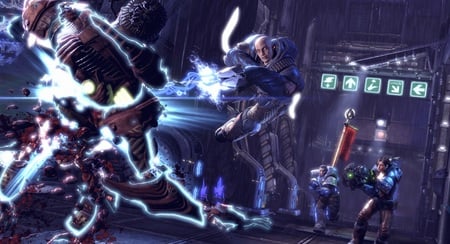
Unreal Tournament 3: zapped, physically
The new drivers run on Windows XP and both the 32- and 64-bit incarnations of Vista.
Of course, you also need an app that can take advantage of the GPUand the physics code, and for that Nvidia offers a link to the Unreal Tournament 3PhysX Mod Pack, which incorporates a couple of new arenas to show ofthe game's "maximum impact" physics effects, which include damage tothe world in which the games is set, a whirlwind hazards that sweepsaround the battlefield, and weapons that can pull debris towards theplayer.
The PhysX code is available from Nvidia's website here, while the Unreal Tournament add-on can be downloaded here.
NVIDIA's long-time hold on thegraphics market is under threat from ATI, with the release of its newRadeon 4800 series cards today.
Initial tests on ATI's 4850 modelare very positive, with the new graphics cards said to easily matchNvidia's latest offerings in terms of performance, while blowing themout of the water on price.
High performance, good price At£130, the ATI Radeon 4850 is quite a bargain. And with more advancedcards on the horizon such as the Radeon 4870 threatening to set aperformance benchmark, it does seem that NVIDIA's dominance of thehigh-end graphics market (currently the GeForce GTX 280 is the one tobeat) could be nearing an end.
We will of course be sure to bring you further news on all new graphics card tech from NVIDIA and ATI as and when we get it.
If you’ve read the reportsabout the average office keyboard being dirtier than a toilet seat, youmay want to take a leaf out of the NHS’ book. The healthcare body hasordered thousands of specialist germ-resistant keyboards.
According to a reportby the Press Association, the keyboards are completely flat and coveredwith a hypoallergenic coating that it’s claimed repells bacteria. AnLED built into each keyboard also flashes when it's due for a rub-downand the light only stops flashing once sensors are satisfied that thekeyboard’s been well cleaned with alcohol wipes.
Traditional keyboards can harbour lots of nasty germs, partlybecause they are rarely cleaned and becuase so many office workers eatlunch at their desks. Just try tipping your keyboard upside down now.Of course, returning to your desk without washing your hands after avist to the lav won't help matters either.
The NHS hopes the keyboard order, which is thought to be for 7500keyboards at a cost of over £1m in total, will help cut infection ratesand reduce instances of superbugs, like MRSA.
Dr Peter Wilson, a University College London Hospital consultantmicrobiologist and co-inventor of the cleaner keyboard, told the PAthat in tests the keyboards were shown to have a positive impact onkeyboard cleanliness.
The NHS’ keyboards will be manufactured by a US-based firm, butsimilar germ-resistant PC peripherals can already be ordered online.Manufacturer Man & Machine, which is taking Apple to court over the Mighty Mouse name, sells several ‘clean’ keyboard designs online.